
If you’re weighing Vensure Employer Solutions against building out your own in-house HR department, you’re dealing with a decision that touches payroll, compliance, benefits, cost structure, and operational control all at once. There’s no universal right answer. It depends on your headcount, growth trajectory, risk tolerance, and how much you want to own versus outsource.
This guide doesn’t just compare Vensure to a DIY HR setup in the abstract. We’ve pulled together a set of tools and platforms that help you evaluate, model, and execute whichever path makes sense — from independent PEO comparison platforms to the HRIS systems you’d need if you go the in-house route. Whether you’re a 15-person company wondering if Vensure is overkill, or a 200-person operation questioning whether you’ve outgrown PEO altogether, these tools give you the data to make a grounded call.
1. Clicks Geek PEO
Best for: Business owners who want an independent, unbiased starting point before evaluating any PEO.
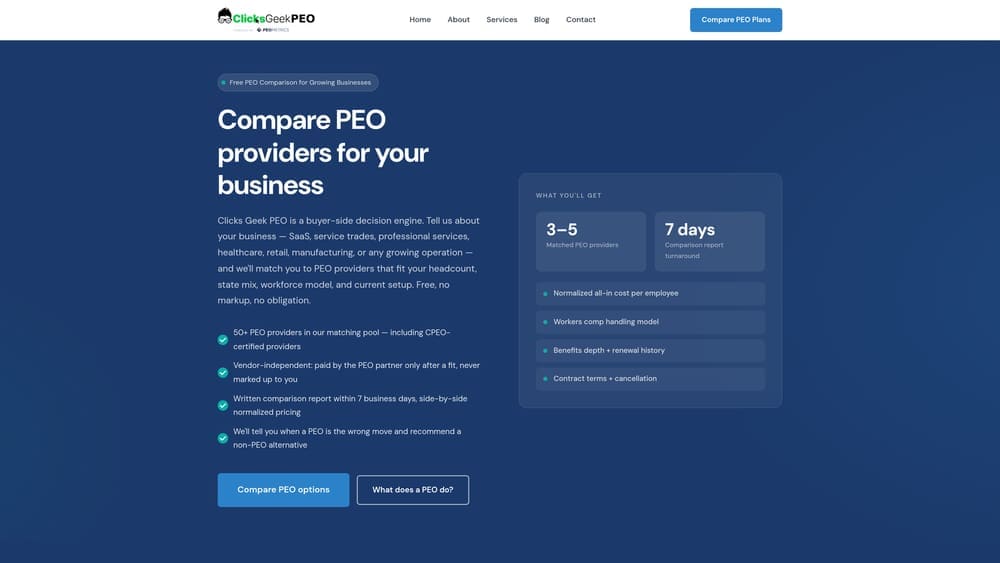
Clicks Geek PEO is an independent PEO comparison and advisory platform built to help business owners evaluate providers like Vensure without wading through a sales process.
Where This Tool Shines
Most PEO comparisons happen inside a sales funnel. You request a quote, a rep calls you, and the “comparison” you receive is whatever that provider wants you to see. Clicks Geek operates differently: it’s not a PEO and doesn’t earn commissions from placing you with one. That independence matters when you’re trying to understand whether Vensure’s pricing is competitive or whether a PEO is even the right structure for your business at all.
The platform is built around transparency. It surfaces pricing structures, contract terms, and service breakdowns in a way that’s actually readable — not buried in proposal PDFs. For anyone mid-evaluation or approaching a PEO renewal, it’s a useful gut-check before you commit.
Key Features
Side-by-Side Provider Comparisons: Transparent pricing breakdowns across multiple PEO providers, including traditional co-employment models like Vensure.
No Conflict of Interest: Clicks Geek is not a PEO and doesn’t benefit from placing you with a specific provider — the analysis is independent by design.
Contract Term Analysis: Breaks down what you’re actually signing, including administrative fee structures and exit terms that often get glossed over.
PEO vs. In-House Decision Frameworks: Educational resources that help you think through the build-vs-buy question with real cost and operational context.
PEO Metrics Partnership: Data-driven evaluations backed by industry benchmarking rather than anecdotal sales claims.
Best For
Business owners, CFOs, and operations managers who are evaluating a PEO for the first time, approaching a renewal, or questioning whether their current provider is the right fit. Particularly useful if you’ve received a Vensure quote and want a second opinion grounded in data rather than another sales pitch.
Pricing
Free comparison resources and tools. No subscription or payment required to access the core advisory content.
2. Vensure Employer Solutions
Best for: Mid-sized to larger businesses looking for a full-service, bundled PEO with broad compliance and benefits infrastructure.
Vensure Employer Solutions is one of the largest PEOs in the U.S. by worksite employee count, offering payroll, benefits, compliance, and risk management through a co-employment model.
Where This Tool Shines
Vensure has grown significantly through acquisitions, which means they bring infrastructure and scale that smaller PEOs can’t match. If you need multi-state compliance support, access to large-group health insurance rates, and workers’ compensation coverage under one umbrella, Vensure can deliver that in a bundled structure. For companies that don’t want to manage multiple HR vendors, that consolidation has real operational value.
Where it gets more complicated is pricing and transparency. Like most traditional PEOs, Vensure uses custom quoting — you won’t find a rate card on their website. That makes it harder to benchmark what you’re paying against alternatives without doing independent research. It’s worth understanding exactly what’s included in your administrative fee versus what gets passed through at cost before you sign.
Key Features
Full-Service Payroll: Payroll processing, tax administration, and direct deposit across all states where you have employees.
Large-Group Benefits Access: Health, dental, vision, and ancillary benefits through a pooled employee base — often at rates smaller companies can’t access independently.
Workers’ Compensation: Coverage and claims management bundled into the PEO relationship, reducing your direct exposure.
Multi-State Compliance: HR compliance support across state and federal requirements, including leave laws and employment regulations.
HR Consulting: Employee relations guidance and HR advisory services included in the co-employment arrangement.
Best For
Companies with 25 or more employees operating across multiple states, particularly those that want a single-vendor HR solution and are willing to trade some pricing transparency for operational simplicity. Less ideal for early-stage companies where cost predictability is critical.
Pricing
Custom quotes only. Typically structured as a per-employee-per-month fee or a percentage of payroll. Administrative markups vary — always ask for a full fee breakdown before signing.
3. Gusto
Best for: Small businesses building in-house HR who want payroll, benefits, and compliance in one affordable platform.
Gusto is a payroll-first platform with built-in HR tools, benefits brokerage, and compliance features designed for companies managing HR without a PEO.

Where This Tool Shines
Gusto is often the first serious in-house HR platform small businesses evaluate when they decide a PEO isn’t the right fit. It handles the core payroll and tax filing needs competently, and the benefits brokerage integration means you’re not managing a separate relationship with a broker for health insurance. For companies under 50 employees, it covers most of the operational ground a PEO would handle — at a fraction of the cost.
The tradeoff is that Gusto gives you less compliance infrastructure than a PEO co-employment arrangement. You’re still the employer of record for everything. That’s fine if your HR exposure is straightforward, but it means you own the liability when state laws change or an employment issue surfaces.
Key Features
Full-Service Payroll: Automatic federal and state tax filing, W-2s, and 1099s handled without manual intervention.
Benefits Brokerage: Health insurance, dental, vision, and 401(k) options accessible directly through the platform.
Onboarding Workflows: Digital onboarding with document collection, e-signatures, and new hire reporting.
Time and PTO Management: Built-in time tracking and PTO policy management with manager approvals.
50-State Tax Registration: Gusto handles state tax registration as you expand into new states — a meaningful operational lift for growing companies.
Best For
Companies with 5 to 50 employees that want a clean, integrated in-house HR setup without the complexity or cost of a PEO. Also a reasonable option for businesses that have left a PEO and need a standalone replacement quickly.
Pricing
Starts at $40/month base plus $6/person/month on the Simple plan. Higher tiers with additional HR features run $80/month base plus $12/person/month.
4. Rippling
Best for: Growing companies that want a modular, scalable in-house HR and IT stack without locking into a single bundled vendor.
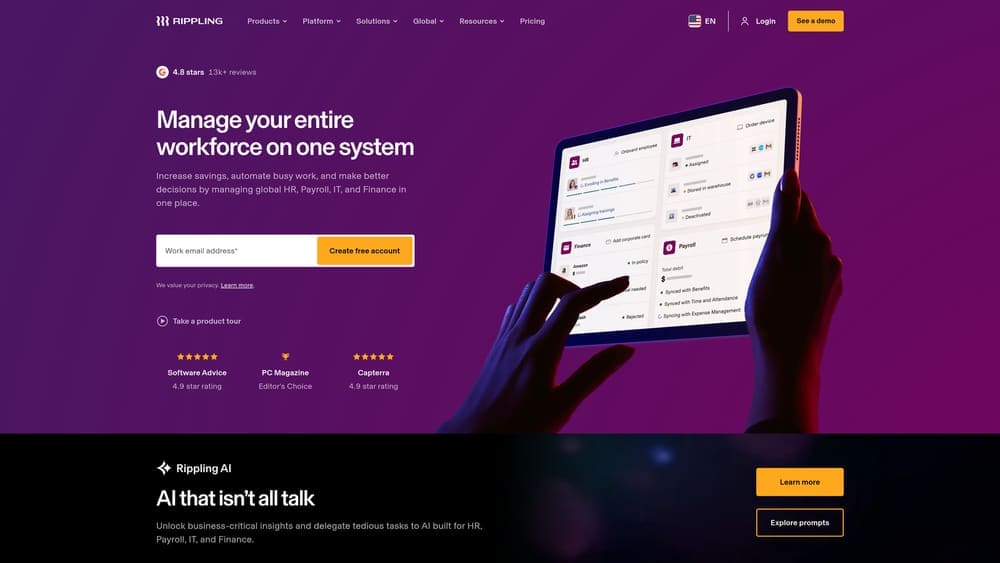
Rippling is a modular HR, IT, and finance platform that lets companies build a custom in-house infrastructure instead of relying on a PEO or a patchwork of disconnected tools.
Where This Tool Shines
Rippling’s architecture is genuinely different from most HR platforms. Because it connects HR, payroll, benefits, IT device management, and app provisioning in a single employee record, changes you make in one system automatically propagate across the others. Hire someone and their laptop gets provisioned, their software gets assigned, and their payroll is set up — all from one action. That kind of automation is hard to replicate when you’re stitching together separate vendors.
For companies that are scaling fast and want to stay in-house rather than hand the keys to a PEO, Rippling is one of the more serious options on the market. The modular pricing model also means you don’t pay for what you don’t need yet, which helps with cost management during growth phases.
Key Features
Unified Employee System: HR, payroll, benefits, and IT all connected to a single employee record — changes cascade automatically.
Modular Architecture: Select and pay only for the modules your business currently needs; add more as you grow.
Automated Compliance Engine: Policy-based workflows that trigger compliance actions based on employee location, role, or status changes.
Device and App Management: Provision and deprovision employee devices and software access tied directly to the employee lifecycle.
Global Payroll: Supports distributed and international teams — useful for companies with remote workforces across multiple countries.
Best For
Companies with 50 to 500 employees that are scaling quickly, have distributed or remote teams, and want a single platform that handles both the HR and IT sides of the employee lifecycle. Also a strong fit for tech-forward companies that value automation over manual HR processes.
Pricing
Starts at $8/user/month for the core platform. Total cost varies significantly depending on which modules you activate. Get a custom quote for full-stack implementations.
5. BambooHR
Best for: Companies with a dedicated HR team that need a clean, purpose-built HRIS for records, performance, and reporting.
BambooHR is a dedicated HRIS platform focused on employee data management, onboarding, performance reviews, and HR reporting for organizations running HR in-house.

Where This Tool Shines
BambooHR doesn’t try to do everything. It’s built around the core functions an HR team actually lives in: employee records, onboarding checklists, performance management, and reporting. That focus makes it more intuitive than broader platforms, and the UI is genuinely clean compared to legacy HRIS systems. If you have one or two dedicated HR staff and need a reliable system of record, BambooHR fits that context well.
It’s worth noting what BambooHR doesn’t cover: payroll is an add-on (not native), and benefits administration is limited compared to a PEO or a platform like Rippling. You’ll likely need to pair it with a payroll provider and a separate benefits broker. That’s not necessarily a problem — many in-house HR teams operate this way — but it means your total stack will have more moving parts than a bundled PEO arrangement.
Key Features
Centralized Employee Database: Custom fields, document storage, and a full employee record accessible to HR and managers based on permission levels.
Onboarding and Offboarding: Task-based workflows that ensure nothing falls through the cracks during employee transitions.
Performance Management: Structured performance reviews, goal tracking, and feedback tools built into the platform.
PTO Tracking: Policy-based PTO management with employee self-service requests and manager approvals.
HR Reporting: Standard and customizable reports on headcount, turnover, compensation, and other HR metrics.
Best For
Companies with 30 to 500 employees that have at least one dedicated HR person and want a focused HRIS rather than an all-in-one platform. Works well as the HR data backbone when paired with a separate payroll provider and benefits broker.
Pricing
Custom pricing based on employee count. Generally runs in the $6 to $8 per employee per month range, though this varies by tier and negotiated terms.
6. Justworks
Best for: Small to mid-sized businesses that want PEO benefits access with transparent, flat-rate pricing instead of opaque bundled quotes.
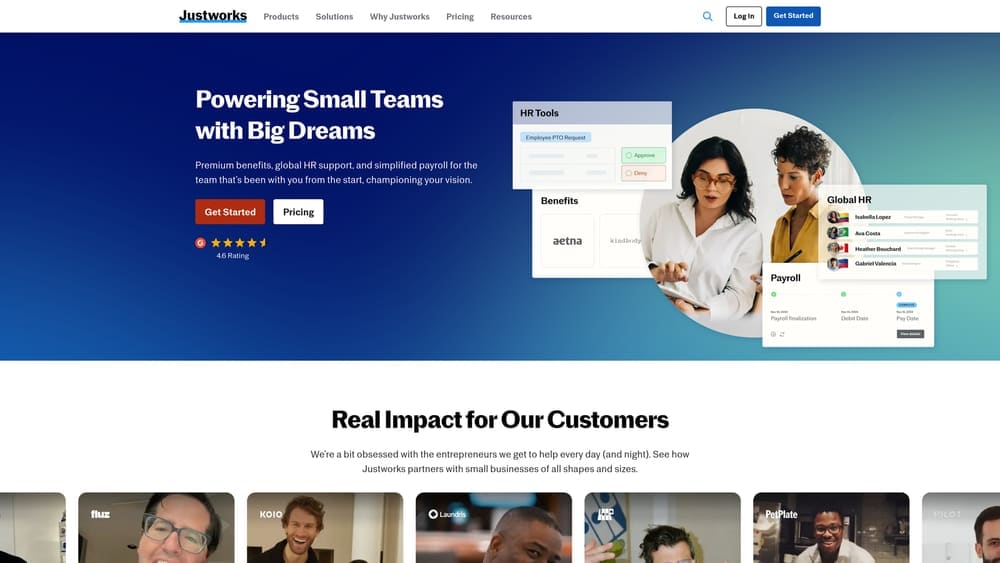
Justworks is a PEO platform that differentiates itself through straightforward, published per-employee pricing — a notable contrast to traditional PEOs like Vensure that rely on custom quoting.
Where This Tool Shines
The biggest practical difference between Justworks and a traditional PEO like Vensure isn’t the service list — it’s the pricing model. Justworks publishes its rates. You know exactly what you’re paying per employee before you sign anything. For business owners who’ve sat through a Vensure proposal and struggled to understand what the administrative fee actually covers, that transparency is genuinely refreshing.
Justworks also tends to be a better fit for companies in the 10 to 100 employee range that want PEO benefits access without the complexity of a large-scale co-employment arrangement. The tradeoff is that Justworks may have less depth in certain compliance and risk management areas compared to larger PEOs — it’s a cleaner, simpler product, which is a feature for some businesses and a limitation for others.
Key Features
Published Flat-Rate Pricing: Per-employee-per-month pricing listed publicly — no custom quote required to understand your cost baseline.
Large-Group Benefits: Access to health, dental, and vision plans through the PEO’s pooled employee base, including options most small businesses can’t access independently.
Payroll and Compliance: Payroll processing, tax administration, and HR compliance tools bundled into the platform.
Workers’ Comp Administration: Included in the PEO arrangement without requiring a separate policy or broker relationship.
24/7 Support: Access to HR consultants and support staff around the clock — useful for time-sensitive compliance or employee relations questions.
Best For
Companies with 10 to 150 employees that want the core benefits of a PEO — benefits access, payroll, compliance — without the pricing opacity of a traditional provider. A good benchmark for what Vensure pricing should look like on a per-employee basis.
Pricing
Starts at $59/employee/month for the Basic plan. The Plus plan, which includes benefits administration, runs $109/employee/month.
7. Mineral (formerly ThinkHR)
Best for: In-house HR teams that need on-demand compliance guidance without hiring a dedicated compliance officer.
Mineral is an HR compliance advisory platform that gives in-house teams access to expert guidance, handbook tools, and compliance training — essentially a compliance department on retainer.
Where This Tool Shines
One of the real advantages of a PEO like Vensure is compliance infrastructure. When you’re in a co-employment arrangement, you have access to HR professionals who track state and federal law changes and flag what applies to you. When you go in-house, that coverage disappears unless you build it yourself. Mineral fills that gap without requiring a full-time compliance hire.
The live HR expert hotline is particularly useful for companies that encounter compliance questions infrequently but urgently — a termination situation, a leave law question, a new state regulation. Having a qualified HR professional available by phone is the kind of resource that’s hard to replicate with Google searches and legal consultations.
Key Features
Live HR Expert Hotline: Direct access to qualified HR professionals for compliance questions, employee relations issues, and policy guidance.
Employee Handbook Builder: State-specific handbook templates that stay current with regulatory changes — a meaningful time saver for multi-state employers.
Compliance Training Library: Pre-built courses on harassment prevention, workplace safety, and other mandated training topics.
Regulatory Alerts: Proactive notifications when federal or state employment laws change in ways that affect your business.
Risk Assessment Tools: Frameworks for evaluating HR compliance exposure before issues become liabilities.
Best For
Companies that have moved to in-house HR and want a compliance safety net. Particularly valuable for multi-state employers, companies without a dedicated HR compliance role, or businesses that have recently left a PEO and lost the compliance support that came with it.
Pricing
Custom pricing. Mineral is frequently bundled through insurance brokers or payroll providers, so your existing vendor relationships may already include access. Worth checking before purchasing separately.
8. NAPEO Resources and Cost Frameworks
Best for: Business owners and HR leaders who want unbiased, industry-level data to benchmark PEO costs and understand the co-employment model.
NAPEO is the National Association of Professional Employer Organizations — the industry’s trade group and the most credible non-commercial source of PEO education, cost frameworks, and regulatory information available.
Where This Tool Shines
NAPEO isn’t a software platform. It’s a research and advocacy organization, and its public resources are genuinely useful for anyone trying to understand PEO economics without relying on a vendor’s marketing materials. Their white papers and cost comparison frameworks provide a neutral foundation for the PEO vs. in-house analysis — the kind of baseline data that’s hard to find elsewhere.
The state-by-state regulatory information is particularly practical. PEO regulations vary significantly by state, and understanding whether your state has specific licensing or registration requirements for PEOs matters when you’re evaluating providers like Vensure. NAPEO also maintains a directory of ESAC-accredited and IRS-certified PEOs, which is a useful verification step before signing any co-employment agreement.
Key Features
Industry White Papers: Research-backed publications on PEO industry economics, benefits, and workforce outcomes.
Cost Comparison Frameworks: Structured frameworks for modeling PEO costs against in-house HR alternatives — useful for building your own analysis.
State Regulatory Information: State-by-state breakdowns of PEO licensing, registration, and compliance requirements.
Accredited PEO Directory: Searchable directory of ESAC-accredited and IRS-certified PEOs, including verification of Vensure’s standing.
Best For
Business owners, CFOs, and HR leaders who want to ground their PEO evaluation in industry data rather than vendor claims. Useful early in the decision process, before you’ve engaged any specific provider.
Pricing
Core resources and white papers are free to the public. Some member-only materials require a NAPEO membership, which is geared toward PEO providers rather than end-users.
Making the Call
There’s no version of this decision where one answer is right for every company. What the tools above give you is a way to pressure-test both paths with real data instead of relying on a single vendor’s pitch.
If you’re leaning toward staying with or moving to Vensure, the honest question to ask is whether you understand exactly what you’re paying and what you’re getting. Traditional PEOs — Vensure included — use custom quoting, which makes comparison difficult by design. Use Justworks’ published pricing as a benchmark. Use NAPEO’s frameworks to model total cost. And use an independent platform to see how Vensure stacks up before you renew.
If you’re leaning toward in-house HR, the tools you’ll need depend on your headcount and complexity. Gusto works well for smaller operations. Rippling is the stronger choice if you’re scaling fast or have a distributed team. BambooHR gives you a clean HRIS backbone if you already have HR staff. And Mineral covers the compliance gap that most in-house teams underestimate until something goes wrong.
A few practical guideposts based on where companies typically land:
Under 25 employees: In-house HR with Gusto is often more cost-effective than a full PEO arrangement, unless benefits access is a primary concern.
25 to 100 employees: This is the range where the PEO value proposition is strongest. Benefits purchasing power and compliance infrastructure are hard to replicate at this scale. If you want a PEO, compare Vensure against providers with transparent pricing before committing.
Over 150 employees: You may have the scale to justify a dedicated HR team and a best-in-class HRIS stack. The math on PEO fees at this headcount deserves a serious look.
Before you renew your PEO agreement, compare your options. Most businesses overpay due to bundled fees and unclear administrative markups. Understanding pricing structures, service breakdowns, and contract terms before you sign is the difference between a decision you’re confident in and one you’re locked into.