
When comparing TriNet and Worklogic HR, most comparison articles rehash the same surface-level feature lists. But the real decision hinges on factors that rarely make the brochure: how each provider handles pricing transparency, what happens when you outgrow their sweet spot, and whether their service model matches how your team actually operates.
This comparison cuts through the marketing noise to examine the practical differences that determine whether you’ll be satisfied two years from now—or shopping for a replacement.
We’ll cover the specific scenarios where each provider excels, the hidden costs that trip up buyers, and the questions you should ask before signing anything. The goal isn’t to declare a winner—it’s to help you determine which provider fits your specific situation.
1. Know Your Company Profile Before Comparing Anything
Why This Matters First
Most businesses start comparing PEO providers before understanding where they actually fit in the market. This leads to mismatched expectations and buyer’s remorse.
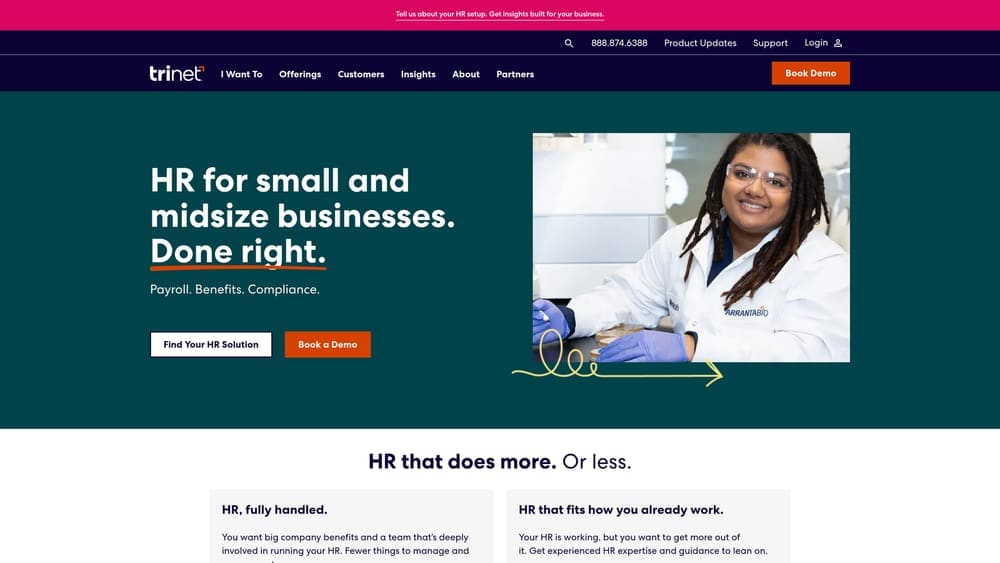
TriNet, as one of the largest publicly traded PEOs (NYSE: TNET), operates at a different scale than regional providers like Worklogic HR. That difference isn’t about quality—it’s about infrastructure, service approach, and the client profiles each provider is built to serve.
Starting with a clear self-assessment prevents you from evaluating providers against criteria that don’t match your operational reality.
What to Assess About Your Business
Current headcount matters, but projected headcount over the next 24 months matters more. A company at 35 employees planning to reach 80 has different needs than one stable at 35 with no growth plans.
Geographic footprint directly impacts which provider makes sense. Multi-state operations require different compliance infrastructure than single-state businesses. If you’re hiring across five states with plans to expand into three more, you need a professional employer organization for multi-state companies with established presence in those markets.
Industry complexity influences the depth of HR and compliance support you’ll need. A technology company with stock option plans and remote workers across multiple states faces different challenges than a local professional services firm with office-based employees in one location.
The Sweet Spot Question
TriNet typically serves companies from 5 to 1,000+ employees but finds its operational sweet spot with businesses in the 75-300 employee range, particularly in technology, life sciences, and professional services sectors.
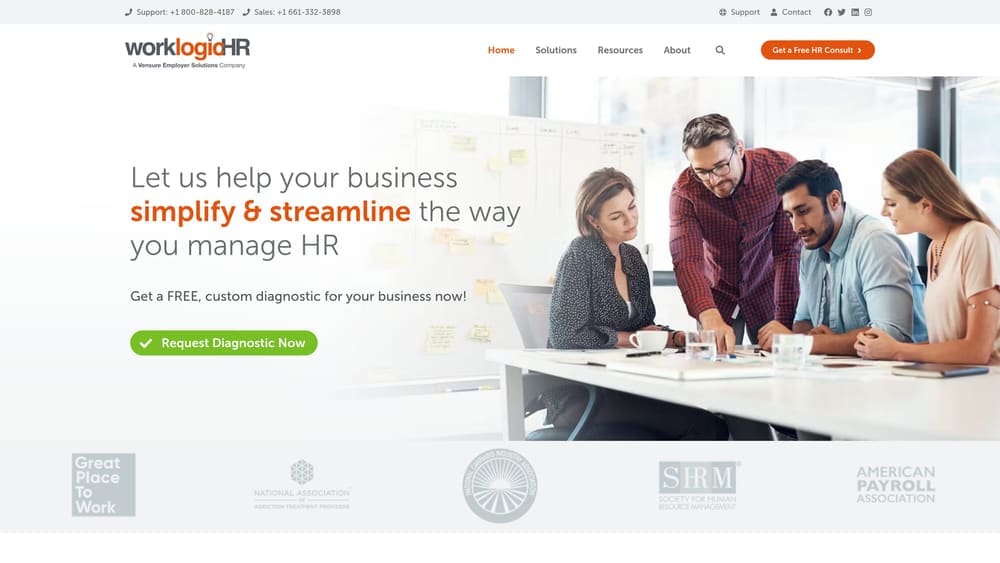
Worklogic HR focuses on smaller to mid-sized businesses, often thriving in the 10-100 employee range within their regional markets where localized service and relationship-based support matter more than national infrastructure.
Understanding where you fall—and where you’re headed—determines which provider’s infrastructure matches your trajectory.
Implementation Approach
1. Document your current headcount, breakdown by state, and 24-month growth projections based on actual hiring plans—not aspirational goals.
2. Map your compliance complexity by listing all states where you have employees, industry-specific regulations you face, and any specialized HR needs like stock administration or international contractor management.
3. Assess your internal HR capability honestly—do you have dedicated HR staff, or is this handled by operations or finance teams wearing multiple hats?
Red Flags to Watch
If a provider’s marketing heavily features case studies from companies 5x your size or in completely different industries, you’re likely outside their core focus. That doesn’t mean they can’t serve you, but it suggests you won’t be their typical client.
Pay attention to minimum requirements. Some providers have unpublished minimums around headcount or payroll volume. If you’re at the low end of their range, service quality may suffer as they prioritize larger accounts.
2. Decode the Pricing Models—They’re Fundamentally Different
The Core Structural Difference
TriNet typically structures pricing as a percentage of gross payroll, bundling most services into that rate. Worklogic HR often uses per-employee-per-month (PEPM) flat fees with more modular service options.
Neither model is inherently better, but they perform very differently as your business scales. Understanding professional employer organization cost structures at current and projected headcount prevents surprises.
The percentage-of-payroll model means your PEO cost fluctuates with compensation levels. If you hire senior executives or give significant raises, your PEO fees increase proportionally—even though the administrative work doesn’t necessarily increase.
How Percentage Models Scale
Percentage-based pricing typically ranges from 2-12% of gross payroll depending on services included, company size, and risk profile. A company with $3 million annual payroll at 6% pays $180,000 annually in PEO fees.
This model favors companies with lower average salaries relative to headcount. A 50-person company with average salaries of $50,000 pays less than a 50-person company with average salaries of $100,000—despite requiring similar administrative work.
The advantage: pricing is predictable as a percentage of your largest expense. The disadvantage: you pay more as compensation increases, even if service needs remain constant.
How PEPM Models Work
Per-employee-per-month pricing charges a flat fee per person regardless of salary. A company might pay $150-$300 PEPM depending on service level, meaning a 50-person company pays $7,500-$15,000 monthly.
This model favors companies with higher average salaries. That same 50-person company with $100,000 average salaries might pay significantly less under PEPM than percentage-based pricing.
PEPM structures often allow more modular service selection—you can add or remove specific services more easily than with bundled percentage models.
The Hidden Cost Components
Both models often include additional fees beyond the base rate. Implementation fees, technology access fees, and per-transaction charges for things like workers’ compensation claims or benefit enrollments can add 10-20% to quoted rates.
Workers’ compensation is typically quoted separately and can represent a significant cost depending on your industry classification. A construction company will pay substantially more than a professional services firm.
Benefits administration fees vary widely. Some providers charge per-employee monthly fees for benefits access. Others include it in the base rate but limit carrier options.
What to Request
1. Ask for total cost scenarios at your current headcount AND projected headcount in 12 and 24 months, including all fees—not just the base rate.
2. Request a breakdown showing exactly what’s included in the base rate versus what incurs additional charges.
3. Get clarity on how pricing changes with headcount growth—are there tier breaks where rates decrease, or does pricing remain constant?
3. Evaluate Benefits Access Based on Your Workforce Needs
Why Carrier Access Matters More Than You Think
The quality of your benefits offering directly impacts recruitment and retention. When evaluating PEOs, most buyers focus on employer costs—but employee experience with carrier networks, plan designs, and contribution levels matters more for long-term satisfaction.
Larger PEOs like TriNet typically access more carriers and plan options due to larger risk pools and negotiating leverage. Regional PEOs like Worklogic HR may have strong relationships with specific carriers in their operating territories but fewer total options.
The practical question: do the available plans meet your workforce’s actual needs, and can employees afford the contribution levels?
Medical Plan Considerations
Carrier network adequacy varies significantly by region. A national carrier might have excellent coverage in major metros but limited provider networks in rural areas. Regional carriers often have deeper networks in specific markets.
Plan design matters as much as carrier name. Deductible levels, out-of-pocket maximums, and coverage for specialists determine whether employees can actually use the insurance. A plan with a $5,000 deductible may be affordable for you but unusable for employees earning $45,000 annually.
Employee contribution levels determine actual affordability. Some PEOs offer great employer rates but pass higher costs to employees through elevated contribution requirements. Others structure contributions more favorably for employees but at higher employer expense.
Ancillary Benefits Depth
Dental and vision coverage quality varies substantially. Some PEOs offer comprehensive PPO dental plans. Others provide basic coverage with limited networks or high employee contributions.
Voluntary benefits like disability, life insurance, and supplemental coverage options matter for employee satisfaction. Access to FSA and HSA accounts, commuter benefits, and other pre-tax options affects take-home pay.
Retirement plan options and administrative support vary. Some PEOs offer robust 401(k) administration with multiple provider choices. Others have single-provider arrangements with limited investment options.
Benefits Administration Experience
Technology platforms for benefits enrollment and management differ significantly. Some providers offer intuitive self-service portals. Others rely on more manual processes that create friction during open enrollment. Understanding small business benefits administration options helps you evaluate what each provider actually delivers.
Support quality during benefits issues determines employee satisfaction. When someone has a claim dispute or coverage question, how quickly and effectively does the PEO resolve it? This matters more than the plan design itself.
What to Verify
1. Request actual plan documents and Summary of Benefits and Coverage (SBC) forms—not just carrier names and premium quotes.
2. Ask for employee contribution examples at different salary levels to understand actual affordability for your workforce.
3. Verify carrier network adequacy in the specific zip codes where your employees live—not just general regional availability.
4. Understand the process for adding or changing plans mid-contract if your workforce needs evolve.
4. Assess Technology Fit Against Your Operational Reality
Platform Capability vs. Actual Usage
PEO technology demonstrations often showcase impressive features that look great in a sales presentation but don’t match how your team actually works. The question isn’t whether the platform can do something—it’s whether it does it in a way that fits your operational flow.
TriNet offers a comprehensive platform with broad functionality across payroll, benefits, time tracking, performance management, and reporting. The breadth of features appeals to companies that want an all-in-one system.
Worklogic HR typically provides core HRIS functionality with a focus on essential workflows. The platform may be less feature-rich but potentially more straightforward for teams that don’t need extensive HR technology.
Integration Requirements
Most businesses already use accounting software, applicant tracking systems, or other tools that need to connect with their PEO platform. Integration quality determines whether you’re manually re-entering data or working with automated syncs.
Larger PEOs generally offer more pre-built integrations with common business software. Smaller providers may have fewer native integrations but potentially more flexibility for custom connections. Learning how to set up PEO payroll integration helps you evaluate what each provider actually supports.
The practical test: can the PEO platform integrate with your current accounting system, and what does that integration actually do? Some “integrations” only sync employee data, requiring manual entry for payroll or benefits information.
Reporting and Data Access
Standard reports cover basic needs—payroll summaries, benefits enrollment, headcount—but custom reporting capability matters when you need specific data views for board meetings, budget planning, or operational analysis.
Data export functionality determines whether you can pull information into your own systems for analysis. Some platforms make it easy to extract data in usable formats. Others lock data behind limited export options or charge for custom reports.
Real-time access versus batch processing affects decision-making speed. If you need to pull current headcount or payroll data for a time-sensitive decision, does the platform provide real-time information or yesterday’s batch update?
Mobile Experience
Employee self-service through mobile apps matters for distributed workforces. Can employees easily access pay stubs, update direct deposit, request time off, and manage benefits from their phones?
Manager functionality on mobile determines whether supervisors can approve time, review team information, or handle basic HR tasks without being at a desk. This matters more for operationally-focused businesses than office-based companies.
Evaluation Approach
1. Request a working demo with your actual data scenarios—not the provider’s sample data—to see how the platform handles your specific workflows.
2. Have the people who will actually use the system daily—payroll processors, HR administrators, managers—participate in the evaluation, not just executives.
3. Test the specific integrations you require during the demo period to verify they work as described.
4. Ask current clients about system reliability, downtime frequency, and how quickly technical issues get resolved.
5. Understand the Service Model Differences
Functional Teams vs. Single Point of Contact
How a PEO structures service delivery significantly impacts your day-to-day experience. The difference between functional teams and dedicated account management isn’t about which is “better”—it’s about which matches your internal capability and preferences.
TriNet typically organizes service by function: dedicated payroll specialists, benefits administrators, compliance experts, and HR consultants. When you have a payroll question, you contact the payroll team. Benefits issues go to benefits specialists.
Worklogic HR often provides single-point-of-contact service where one account manager handles most requests or coordinates across internal resources. You build a relationship with one person who knows your business.
When Functional Teams Work Better
Companies with internal HR staff who understand which specialist to contact for specific issues often prefer functional team structures. Your HR manager knows to reach payroll directly for processing questions and benefits for enrollment issues.
Functional specialization means deeper expertise in each area. The person handling your workers’ compensation claim does that all day—they’re not also managing payroll and benefits questions.
Larger companies with more complex needs across multiple functional areas may benefit from direct access to specialists rather than routing everything through a single contact.
When Single Contact Works Better
Businesses without dedicated HR staff—where the owner, CFO, or operations manager handles HR—often prefer having one person to call who understands their business and can route issues internally. This is a common scenario for companies exploring small business HR outsourcing options.
The relationship-based model works well when you need someone who knows your company’s specific situation, history, and preferences. Your account manager becomes an extension of your team.
Single-contact service can be faster for straightforward issues since you’re not navigating which department to contact. The trade-off is potentially less specialized expertise for complex technical questions.
Response Time and Escalation
Service level agreements vary significantly between providers. Some guarantee response times for different issue types. Others provide more general availability commitments.
Escalation processes matter when you hit a problem that isn’t getting resolved. How quickly can you reach someone with authority to make decisions? Is there a clear path to escalate beyond your primary contacts?
After-hours support availability matters depending on your payroll timing and operational needs. Some providers offer 24/7 support. Others maintain business-hours availability with emergency-only after-hours access.
What to Validate
1. Ask current clients about actual response times—not just what’s promised in the SLA—for routine questions and urgent issues.
2. Understand exactly who you’ll work with day-to-day and what their typical caseload looks like. An account manager handling 150 clients provides different attention than one managing 30.
3. Request a walkthrough of the escalation process for situations where your primary contact can’t resolve an issue.
4. Clarify which services require you to contact them versus what you can handle through self-service in the platform.
6. Map Compliance Support to Your Actual Risk Exposure
Geographic Footprint Drives Compliance Complexity
The number of states where you have employees directly correlates with compliance complexity. Each state brings different wage and hour laws, paid leave requirements, tax filing obligations, and regulatory reporting.
A company with employees in one state faces fundamentally different compliance needs than one with workers across ten states. The question: does your PEO have established infrastructure in all your operating states, or will you be an edge case?
TriNet operates nationally with presence across all 50 states, making them suitable for companies with broad geographic footprints or expansion plans into multiple new markets.
Worklogic HR focuses on specific regional markets where they maintain deeper local expertise and relationships with state agencies. For companies operating within those regions, this localized knowledge can be valuable.
Industry-Specific Compliance Requirements
Certain industries face specialized compliance obligations beyond standard employment law. Healthcare companies deal with HIPAA. Financial services firms face FINRA requirements. Government contractors must comply with federal contractor regulations.
Not all PEOs have equal experience with industry-specific compliance. A provider with deep technology sector experience may lack expertise in healthcare regulations. A PEO focused on professional services might not understand construction industry safety requirements.
The practical question: has the provider successfully served companies in your specific industry, and can they demonstrate understanding of your regulatory environment?
Compliance Support Depth
Basic compliance support includes payroll tax filing, unemployment claims management, and standard employment law guidance. This is table stakes—every legitimate PEO handles these fundamentals.
Advanced compliance support includes proactive policy updates when laws change, assistance with complex situations like FMLA administration or ADA accommodations, and guidance on wage and hour classification issues. Understanding professional employer organization compliance responsibilities helps you evaluate what each provider actually handles.
Some PEOs provide dedicated compliance specialists who monitor regulatory changes and proactively notify clients of required actions. Others offer more reactive support where you need to ask specific questions to get guidance.
Risk Transfer vs. Risk Mitigation
Working with a PEO doesn’t eliminate your compliance risk—it shares it. Understanding what liability actually transfers versus what remains your responsibility matters for risk management.
Payroll tax liability typically transfers to the PEO under the co-employment arrangement. If they fail to remit taxes, they’re responsible—not you. This is one of the primary risk benefits of using a PEO.
Employment practices liability generally remains shared. If you make a discriminatory hiring decision or create a hostile work environment, you’re still liable even though you have a PEO. The PEO’s role is providing guidance to help you avoid those situations.
Verification Steps
1. Request the provider’s ESAC (Employer Services Assurance Corporation) certification or IRS Certified Professional Employer Organization status to verify they meet financial and operational standards.
2. Ask for specific examples of how they’ve helped clients in your industry navigate compliance challenges similar to ones you face or anticipate.
3. Understand their process for notifying clients of regulatory changes and what proactive support they provide versus reactive guidance.
4. Review their professional liability insurance coverage and what protections exist if they make an error that creates liability for your business.
7. Plan Your Exit Before You Sign
Why Exit Planning Matters on Day One
Most businesses evaluate PEO providers based on what happens when things go right. But your experience if things go wrong—or if your needs simply change—depends entirely on contract terms you agree to before signing.
PEO contracts vary dramatically in notice periods, auto-renewal provisions, termination conditions, and what happens to your benefits and data when you leave. These terms are negotiable before you sign but nearly impossible to change mid-contract.
Understanding exit mechanics upfront isn’t pessimistic—it’s prudent business planning. The ability to leave cleanly if the relationship isn’t working protects you from being trapped in an underperforming arrangement.
Contract Length and Renewal Terms
PEO contracts typically run 12 months with auto-renewal provisions. The critical detail: what’s the notice period required to prevent auto-renewal, and when does that window open?
Some contracts require 90 days notice before the renewal date. Others require 60 or 30 days. If you miss that window, you’re automatically committed to another year.
Early termination provisions matter if you need to exit mid-contract. Some agreements allow termination with 30-60 days notice and no penalty. Others require you to complete the contract term or pay substantial early termination fees. Reviewing the professional employer organization agreement carefully before signing protects your flexibility.
Benefits Continuity Challenges
Health insurance through a PEO operates under the PEO’s master policy. When you leave, your employees lose that coverage. The timing of your exit relative to plan years and open enrollment periods can create significant disruption.
Leaving mid-plan-year means employees face a qualifying event that allows them to enroll in your new coverage, but there may be gaps in coverage during the transition. Deductibles and out-of-pocket maximums reset, which can be costly for employees with ongoing medical needs.
Some PEOs offer transitional coverage options or work with you to time exits at plan year-end. Others have rigid policies that create more friction. Understanding these provisions before you sign prevents nasty surprises later.
Data Portability and System Access
What happens to your historical payroll data, benefits records, and employee information when you leave? Some PEOs provide comprehensive data exports in usable formats. Others give you limited access or charge fees for historical data extraction.
System access after termination varies. Some providers maintain your access for 30-90 days post-termination to allow data retrieval. Others cut access immediately, forcing you to request specific reports or data exports.
Employee self-service access to historical pay stubs and tax documents matters. Can former employees continue accessing their information through the PEO’s portal after you’ve left, or do you need to provide that access through your new system?
Transition Support Quality
How much support does the PEO provide during offboarding? Some providers assign transition specialists who help with data export, benefits coordination, and new provider setup. Others provide minimal assistance once you’ve given notice.
The offboarding experience reflects the provider’s long-term thinking. Companies confident in their service quality typically make leaving relatively painless because they expect most clients to stay by choice. Providers who make exits difficult often do so because they rely on contractual lock-in rather than service quality for retention.
Pre-Signature Review Checklist
1. Identify the exact notice period required for non-renewal and mark that date on your calendar before you even start the relationship.
2. Negotiate early termination provisions before signing—not when you need them. Request 60-day termination rights with no penalty or reduced penalties.
3. Get written confirmation of data export formats and post-termination access periods. Make this part of the contract, not just verbal assurances.
4. Understand benefits continuity provisions and how timing affects employee coverage. Ask about transitional coverage options.
5. Request contact information for 2-3 clients who have left the provider to understand their offboarding experience—not just current satisfied clients.
Making the Call
The TriNet vs Worklogic HR decision isn’t about which provider is objectively better—it’s about which one fits your specific situation.
Companies with 75+ employees, multi-state operations, or complex industry requirements will generally find TriNet’s national infrastructure and functional expertise worth the investment. The platform breadth, carrier access, and compliance depth match the needs of businesses operating at scale or planning to get there.
Businesses under 50 employees with straightforward needs and operations concentrated in Worklogic HR’s regional markets may find their relationship-based service model and potentially more flexible pricing structure better suited to how they operate. The single-point-of-contact approach often resonates with companies that don’t have dedicated HR staff.
Before making your final call, request detailed pricing scenarios at your current headcount AND projected 24-month headcount. The cost structure that works today may not work when you’ve doubled in size.
Ask for client references in your industry and region—not just the provider’s favorite success stories. Talk to companies that match your profile and ask specifically about service responsiveness, platform reliability, and how issues get resolved.
Review the actual contract terms before you sign. Notice periods, termination provisions, and data portability clauses matter more than most buyers realize. These terms protect you if the relationship doesn’t work out as planned.
Before you renew your PEO agreement, compare your options. Most businesses overpay due to bundled fees and unclear administrative markups. We break down pricing, services, and contract structures so you can make a smarter decision.
The right PEO relationship should feel like a partnership, not a vendor transaction. Take the time to evaluate fit beyond the sales presentation, and you’ll avoid the costly mistake of choosing based on price alone or feature lists that don’t match how you actually operate.