

You’re comparing two providers that don’t really compete on the same terms. Questco built its business around dedicated account management and consultative HR support—the kind of PEO where you call your rep directly when something breaks. Rippling started as a workforce management platform and added PEO services later, positioning it as one module in a broader tech stack. This isn’t a feature-for-feature comparison. It’s a decision about whether you need high-touch service or prefer automation-first tools.
If you’re evaluating both, you’ve likely noticed they approach PEO services from opposite directions. Questco operates as a traditional co-employment partner focused on mid-market companies that want hands-on HR guidance. Rippling offers PEO as an optional layer on top of their core platform, appealing to businesses that prioritize integration depth and self-service workflows.
Neither model is inherently better. The right choice depends on how your team actually operates, what kind of support you’ll use, and whether you value direct access to an account manager or prefer managing everything through software. This guide breaks down seven decision factors that matter more than marketing claims—with practical guidance on how to evaluate each for your specific situation.
1. Service Model Reality Check: Dedicated Support vs. Platform Self-Service
The Challenge It Solves
The biggest operational difference between these providers isn’t what they offer—it’s how they deliver it. Questco assigns dedicated account managers who handle most HR issues directly. Rippling routes most inquiries through their platform interface with support teams available as backup. This distinction affects everything from benefits enrollment to compliance questions.
If your team relies on proactive guidance—someone who knows your business and flags issues before they escalate—the service model matters more than the feature list. If you prefer managing workflows through software and only need support for edge cases, a tech-first approach may fit better.
The Strategy Explained
Questco’s model centers on relationship continuity. You work with the same account manager who learns your business, knows your team structure, and provides consultative advice. When you call with a benefits question or compliance concern, you’re speaking with someone familiar with your situation. This works well for companies that need ongoing HR guidance or lack internal HR expertise.
Rippling’s model prioritizes platform efficiency. Most tasks happen through their interface—onboarding, benefits changes, payroll adjustments. Support exists, but the expectation is that you’ll handle routine operations yourself using their tools. This approach scales better for distributed teams comfortable with software-driven workflows. Understanding how a PEO works step by step helps clarify what to expect from either model.
Implementation Steps
1. Map out your most common HR interactions over the past quarter—benefits questions, compliance issues, payroll adjustments. Determine whether you typically need consultative guidance or just need systems that work.
2. Ask each provider how they handle specific scenarios relevant to your business. Request examples: How do you support open enrollment for a 75-person team? What happens when we need to navigate a state-specific compliance issue?
3. Test responsiveness during the sales process. If you’re struggling to get clear answers before signing, that’s a preview of the service experience.
Pro Tips
Don’t assume dedicated support means better outcomes. Some businesses pay for high-touch service they rarely use. Conversely, don’t assume self-service saves money if your team ends up stuck troubleshooting issues that would’ve been resolved with a phone call. Match the service model to how your team actually operates—not how you think you should operate.
2. Technology Stack Compatibility: Integration Depth Matters
The Challenge It Solves
Integration complexity becomes a real operational issue when your PEO doesn’t connect cleanly with your existing tools. If you’re running accounting software, applicant tracking systems, time tracking platforms, or expense management tools, you need to know whether data flows automatically or requires manual reconciliation.
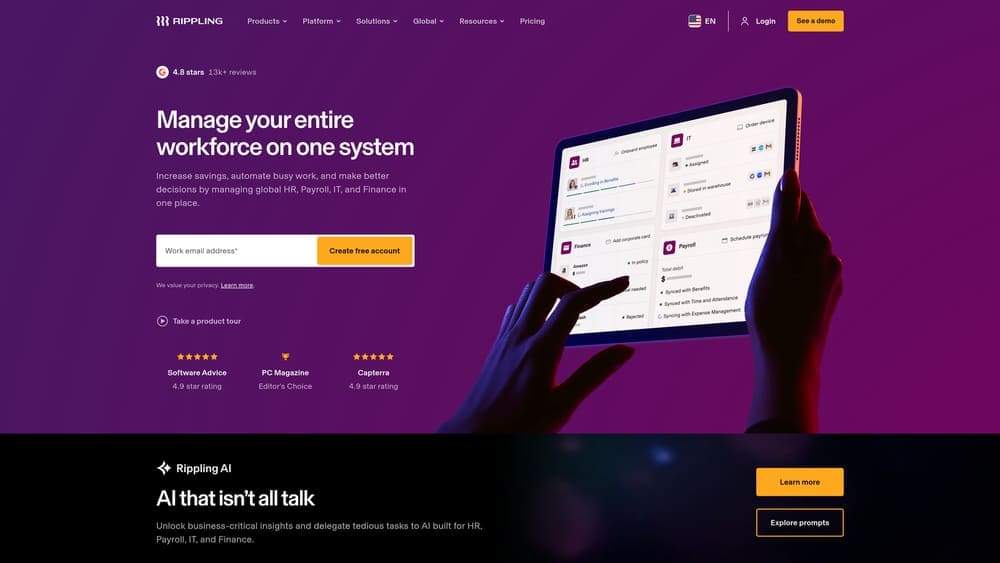
Rippling built its platform around integration breadth—they market hundreds of native connections. Questco operates more traditionally, focusing on core PEO functions with selective integrations. The question isn’t which provider has more integrations—it’s whether the specific integrations you need actually work reliably.
The Strategy Explained
Rippling’s core value proposition is unified workforce management. Their platform handles HR, payroll, IT provisioning, and benefits through one system. If you’re already using Rippling for HR management, adding their PEO layer creates tighter integration. Their API-first architecture supports extensive third-party connections, which matters if you rely on specialized tools.
Questco focuses on PEO fundamentals—payroll, benefits, compliance, HR support. Their integration strategy centers on accounting platforms and core business systems rather than comprehensive workforce management. This works fine if you don’t need deep integration across multiple platforms, but creates friction if you’re trying to automate complex workflows. Our guide on PEO payroll integration covers what to evaluate during setup.
Implementation Steps
1. List every tool that currently touches employee data, payroll information, or benefits administration. Include accounting software, time tracking, applicant tracking, performance management, and expense systems.
2. Ask each provider specifically how they integrate with your existing stack. Request technical documentation or implementation examples—not just whether an integration exists, but how data actually syncs and what requires manual intervention.
3. Evaluate whether integration breadth adds value or complexity. More integrations aren’t always better if you only use a few core systems. Conversely, if you’re running a distributed tech stack, integration gaps create ongoing administrative burden.
Pro Tips
Request access to demo environments where you can test actual workflows, not just marketing screenshots. Pay attention to where data breaks between systems—those gaps become your team’s ongoing manual work. If a provider claims an integration exists, ask how recent data syncs, what happens when discrepancies occur, and who handles troubleshooting.
3. Pricing Structure Transparency: What You’re Actually Paying For
The Challenge It Solves
Neither provider publishes pricing publicly, which makes direct comparison difficult. Questco typically operates on traditional PEO pricing models—either a percentage of payroll or per-employee-per-month fees depending on services selected. Rippling prices their PEO offering as an add-on to their core platform, which means you’re evaluating bundled costs across multiple modules.
The real challenge isn’t finding a number—it’s understanding what you’re paying for and whether the pricing model aligns with how your costs scale as you grow. A detailed PEO cost breakdown example can help you understand what’s typically included.
The Strategy Explained
Traditional PEO pricing like Questco’s typically bundles services into tiered packages. You’re paying for dedicated account management, benefits access, compliance support, and HR guidance as part of the overall fee structure. This model works predictably—you know your monthly cost based on headcount or payroll.
Rippling’s modular approach means you’re selecting specific features across their platform. PEO services add a layer on top of base HR/payroll costs. This creates flexibility—you’re not paying for services you don’t need—but also complexity in comparing total cost of ownership across providers.
Implementation Steps
1. Request itemized proposals from both providers that break down exactly what’s included at each pricing tier. Don’t accept vague “full-service PEO” descriptions—ask for specifics on benefits administration, compliance support, technology access, and account management.
2. Calculate total cost of ownership, not just the headline rate. Include implementation fees, technology costs, benefits administration charges, and any per-transaction fees that apply to your situation.
3. Model costs at different headcount scenarios. If you’re planning to grow from 50 to 100 employees over the next two years, understand how pricing scales and whether volume discounts apply.
Pro Tips
Watch for administrative fees that aren’t included in the base rate. Some PEOs charge separately for benefits administration, workers’ compensation, or compliance services. Understanding hidden PEO fees helps you ask the right questions before signing. If a provider won’t provide detailed pricing breakdowns during the sales process, that’s a red flag for transparency issues after you sign.
4. Benefits Administration Approach: Access vs. Guidance
The Challenge It Solves
Benefits administration separates into two distinct models: access to benefits marketplaces where employees select options independently, or consultative support where a benefits specialist guides enrollment and answers questions. Both providers offer benefits access through their PEO structures, but the level of hands-on support differs significantly.
If your team needs help understanding plan options, comparing coverage levels, or troubleshooting claims issues, the administration model affects employee satisfaction and your internal workload.
The Strategy Explained
Questco’s approach emphasizes guided benefits administration. You typically work with a dedicated benefits specialist who handles enrollment coordination, answers employee questions, and manages carrier relationships. This model reduces internal HR burden but relies on the quality of your assigned specialist.
Rippling provides benefits access through their platform interface. Employees compare options, select coverage, and manage changes through the software. Support exists for complex situations, but the expectation is that most benefits administration happens through self-service workflows. This works well for tech-comfortable teams but may create friction for employees who need more guidance.
Implementation Steps
1. Assess your team’s benefits literacy and comfort with self-service tools. If you’re employing primarily desk workers comfortable with software, platform-driven enrollment may work fine. If your workforce includes field employees or roles with limited tech access, guided support matters more.
2. Evaluate current benefits administration pain points. Are employees confused about plan options? Do you spend significant time answering coverage questions? Do claims issues require frequent escalation? The answers indicate whether you need consultative support or just need systems that work.
3. Ask each provider how they handle open enrollment for a company your size. Our walkthrough on managing open enrollment through your PEO covers what questions to ask and timelines to expect.
Pro Tips
Benefits administration quality matters more than benefits access. Most PEOs offer similar carrier options and plan structures—the differentiation is in how smoothly enrollment runs and how quickly issues get resolved. Ask for references from companies similar to yours and specifically inquire about benefits administration experience.
5. Compliance Support Depth: Proactive vs. Reactive Models
The Challenge It Solves
Compliance support ranges from automated alerts when regulations change to dedicated specialists who monitor your specific situation and flag issues before they become problems. The difference matters significantly if you operate in multiple states, employ remote workers across jurisdictions, or work in industries with specific regulatory requirements.
Both providers handle basic compliance functions—tax filings, required postings, regulatory updates. The distinction is whether you’re managing compliance through software tools or working with specialists who provide proactive guidance.
The Strategy Explained
Questco’s compliance model centers on dedicated support. You work with compliance specialists who monitor regulatory changes affecting your business, update required documentation, and provide guidance on state-specific requirements. This approach works well for companies navigating complex multi-state compliance or industries with specialized regulations.
Rippling handles compliance primarily through their platform. The software tracks regulatory requirements, generates required postings, manages tax filings, and alerts you to changes. Their system automates many compliance tasks but relies on you understanding what actions to take when alerts appear. If multi-state operations are a concern, reviewing national PEO companies may help you find providers built for that complexity.
Implementation Steps
1. Map your current compliance complexity. Count how many states you employ workers in, identify industry-specific regulations that apply, and list compliance issues you’ve faced over the past year.
2. Ask each provider how they would handle specific compliance scenarios relevant to your business. Examples: How do you support a company expanding into three new states? What happens when local sick leave ordinances change? How do you handle industry-specific reporting requirements?
3. Evaluate whether automated compliance tools match your team’s expertise. If you have internal HR knowledge to interpret alerts and take appropriate action, automation may suffice. If you need interpretive guidance, dedicated compliance support becomes more valuable.
Pro Tips
Compliance failures are expensive—fines, back taxes, legal issues. Don’t assume basic compliance support covers your specific situation. Learning how to use a PEO to avoid payroll tax penalties can help you evaluate whether a provider’s compliance support is robust enough. Ask explicitly about multi-state payroll tax management, workers’ compensation compliance, benefits reporting requirements, and how the provider handles regulatory changes that affect your industry.
6. Scalability and Exit Flexibility: Planning for Change
The Challenge It Solves
PEO relationships often span multiple years, but business needs change. You might outgrow PEO services, get acquired, or decide to bring HR functions in-house. Understanding contract terms, data portability, and transition support before signing prevents costly complications later.
Both providers handle scalability differently. Questco operates as a traditional PEO built for mid-market stability. Rippling’s platform architecture supports rapid scaling but integrates PEO services with their broader product suite, which affects how easily you can separate functions.
The Strategy Explained
Contract flexibility varies significantly between providers. Traditional PEOs like Questco typically operate on annual contracts with specific termination terms. You need to understand notice periods, whether mid-contract termination is possible, and what data access looks like if you leave. Our PEO exit strategy guide walks through what to plan for before signing.
Rippling’s modular structure means PEO services are one component of a broader platform relationship. If you’re using Rippling for HR and payroll independent of PEO services, you have more flexibility to adjust service levels. If PEO is your primary relationship, exit planning becomes more complex.
Implementation Steps
1. Review contract terms specifically for termination clauses, notice periods, and any penalties for early exit. Understand what happens to your data, employee records, and benefits administration during a transition.
2. Ask how each provider handles offboarding if you decide to leave. Request specifics on data export formats, transition timelines, and whether they provide support during the changeover.
3. Evaluate what happens if your business changes significantly—acquisition, rapid growth, contraction. Ask whether the provider can scale with you or whether contract modifications are possible mid-term.
Pro Tips
Don’t sign multi-year contracts without understanding exit terms. Some PEOs lock you into extended commitments with significant penalties for early termination. Others provide more flexibility but at higher per-employee costs. Learning how to compare PEO contracts helps you spot problematic terms before signing.
7. Best Fit Scenarios: Matching Provider to Business Profile
The Challenge It Solves
Neither provider fits every business profile. Questco works best for mid-market companies that value relationship continuity and need hands-on HR support. Rippling aligns with businesses prioritizing technology integration and comfortable managing HR functions through software. Understanding where your operational reality falls on this spectrum prevents costly mismatches.
The wrong choice doesn’t just waste money—it creates ongoing friction between how your team works and how your PEO delivers services.
The Strategy Explained
Questco typically fits companies with 50-500 employees that need consultative HR guidance, dedicated account management, and prefer working with specialists over navigating software platforms. This model works well for businesses in traditional industries, companies with limited internal HR expertise, or teams that value proactive support.
Rippling aligns with tech-forward companies comfortable with software-driven workflows, businesses already using or planning to use their broader platform, and teams that prioritize integration depth over dedicated account management. This works well for distributed companies, businesses with strong internal HR knowledge, and organizations that value automation over high-touch service. If you’re still weighing options, our guide on how to choose a PEO provides a structured selection process.
Implementation Steps
1. Assess your team’s operational style honestly. Do you typically call for support or prefer troubleshooting through software? Do you need someone to guide you through HR decisions or do you want tools that let you manage independently?
2. Evaluate your internal HR capabilities. If you lack dedicated HR staff or expertise, consultative support becomes more valuable. If you have internal HR knowledge but need better systems, platform-driven solutions may fit better.
3. Consider where neither provider fits. If you need enterprise-level PEO services, highly specialized industry expertise, or services neither provider offers, acknowledge that early and expand your evaluation.
Pro Tips
Don’t choose based on brand recognition or marketing claims. Choose based on how the provider’s service model aligns with your team’s actual needs and operational style. The best PEO is the one that fits how you work—not the one with the most features or the slickest platform.
Making the Call
The core tradeoff is straightforward: Questco delivers relationship-driven PEO services with dedicated account management and consultative HR support. Rippling offers a technology-first platform where PEO is one component of broader workforce management capabilities. Neither approach is universally better—the right choice depends on your operational needs, existing tech stack, and how much hands-on HR guidance your team actually uses.
If you value direct access to specialists who know your business and provide proactive guidance, Questco’s model aligns better. If you prefer managing HR functions through integrated software and only need support for complex edge cases, Rippling’s platform-driven approach may fit your workflow.
Request detailed proposals from both providers using the decision factors above. Compare pricing structures with full cost breakdowns—not just headline rates. Evaluate contract terms carefully, including termination clauses and data portability. Test responsiveness during the sales process as a preview of ongoing service quality.
Before you renew your PEO agreement, compare your options. Most businesses overpay due to bundled fees and unclear administrative markups. We break down pricing, services, and contract structures so you can make a smarter decision.
The wrong PEO choice creates ongoing operational friction. The right choice should feel invisible—systems work, support responds when needed, and you’re not constantly working around service limitations. Choose the provider whose service model matches how your team operates, not how you think you should operate.