
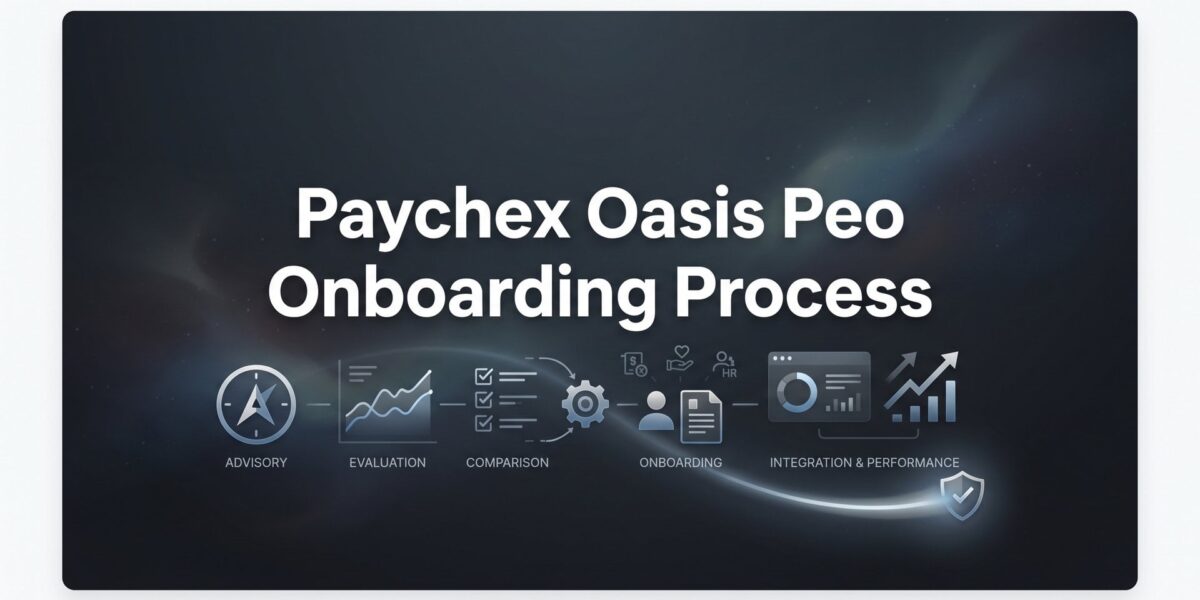
When you sign a PEO agreement with Paychex, the real work begins. Onboarding is the phase where your payroll, benefits, compliance, and HR administration get migrated into the PEO’s systems — and it’s where a lot of business owners hit unexpected friction.
Timelines slip. Data requests pile up. Employees get confusing enrollment emails. Tax account transfers stall. None of this is catastrophic, but all of it is avoidable if you know what’s coming.
A quick note on naming: Paychex acquired Oasis Outsourcing in 2018. Many business owners still search for “Oasis PEO” specifically, and some legacy systems and client communications still carry Oasis branding. This guide covers the current Paychex PEO onboarding experience, including elements inherited from the Oasis platform. When you see “Paychex Oasis” referenced, it refers to that same combined entity.
This isn’t a sales pitch for Paychex. It’s a practical walkthrough of what the onboarding process actually looks like, what you need to have ready, and where things tend to slow down. Whether you’re still finalizing your decision or you’ve already signed, this will help you move through the process with fewer surprises.
The process typically breaks into six phases: data gathering, agreement review, payroll migration, benefits enrollment, platform configuration, and your first live payroll. Each one has its own dependencies and potential bottlenecks. Let’s go through them in order.
Step 1: Gather Your Company Data Before the Kickoff Call
Most business owners treat the kickoff call as the starting gun. It’s not. By the time you’re on that first call with your Paychex implementation specialist, you should already have your core data pulled and organized. Waiting until after the call to start gathering documents is one of the most common reasons onboarding timelines stretch past eight weeks.
Here’s what Paychex will typically request in the early stages of onboarding:
EIN verification and state tax IDs: Your federal Employer Identification Number plus any state-level employer tax account numbers where you have employees. If you operate in multiple states, this list can get long quickly.
Current payroll registers: Year-to-date payroll data showing gross wages, tax withholdings, and deductions for every employee. This is the foundation of the migration, and it needs to be clean and accurate.
Employee census data: Full legal names, Social Security numbers, dates of birth, hire dates, pay rates, and job classifications for every employee. If your current records have inconsistencies — nicknames used instead of legal names, missing DOBs, outdated addresses — clean those up before you hand them over.
Workers’ compensation policy details: Your current carrier, policy number, expiration date, and classification codes. You’ll need to coordinate the transition to Paychex’s master workers’ comp policy carefully to avoid any gap in coverage. Understanding how to prepare for a workers’ comp audit under the PEO model can help you organize this data more effectively.
Current benefits plan documents: Summary plan descriptions, carrier information, and renewal dates for any health, dental, vision, or ancillary plans you’re currently offering. Even if you’re planning to change plans entirely, Paychex needs to see what’s in place now.
If you’re switching from another PEO rather than a standalone payroll provider, add one more item to the list: your current co-employment agreement and its termination notice requirements. Most PEO contracts require 30 to 90 days written notice, and you need to time that carefully to avoid overlapping co-employment arrangements or a gap between when one PEO’s coverage ends and Paychex’s begins. For a broader look at what this process entails across providers, our PEO onboarding process overview is a useful reference.
The census data piece deserves special attention. Pulling clean, complete census data from your current payroll provider sounds simple, but it often isn’t. Payroll systems store data in formats that don’t export cleanly. Fields get truncated. Classification codes don’t map neatly to Paychex’s system. Plan to spend real time on this, not an hour.
Your implementation specialist will set the onboarding timeline on the kickoff call. The more complete your data is at that point, the more realistic and aggressive that timeline can be.
Step 2: Review the Co-Employment Agreement Before You Sign Anything
The Client Service Agreement (CSA) is the legal foundation of your PEO relationship. It defines the co-employment structure, allocates employer responsibilities between you and Paychex, sets the liability boundaries, and governs how the relationship ends. It is not a formality.
A few specific areas deserve careful attention:
Auto-renewal language: Many PEO agreements include automatic renewal clauses that lock you in for another term unless you provide written notice within a specific window — often 60 to 90 days before the contract anniversary. Miss that window and you’re committed for another year. Know exactly when your notice deadline is before you sign.
Fee escalation provisions: Some agreements allow Paychex to adjust administrative fees on renewal with limited notice. Understand what triggers a fee increase and whether there are any caps on how much rates can change year over year.
Workers’ comp rate guarantees: Your workers’ comp premium under the PEO’s master policy is tied to your employee classifications and claims history. Understand whether Paychex is guaranteeing specific rates for the initial term or whether those rates can be adjusted mid-year based on claims. This matters a lot in industries with higher risk profiles.
State unemployment insurance (SUI) treatment: When you join a PEO, your employees typically get reported under the PEO’s FEIN, which means your SUI experience rating may be pooled with the PEO’s broader client base. This can be beneficial if your claims history is poor, but it can also work against you if your history is clean. Understand exactly how your SUI rate will be handled before you sign.
Termination provisions: What does it cost and how long does it take to exit the relationship if things don’t work out? Some agreements include early termination fees. Others require you to maintain coverage through a specific date regardless of when you give notice. Read this section twice.
During this phase, Paychex will also typically conduct a compliance review of your current HR practices. This can surface things like misclassified workers, missing or incomplete I-9 documentation, or outdated employee handbook language that needs updating. Don’t treat this as a bureaucratic hurdle. It’s genuinely useful, and it’s also your last clean opportunity to negotiate terms or raise concerns before the agreement is executed.
If any clause in the CSA feels unclear, ask for clarification in writing. If something looks unfavorable, now is the time to push back — not after you’ve signed.
Step 3: Navigate the Payroll Migration and Tax Account Transfers
Payroll migration is where the operational complexity of PEO onboarding becomes most visible. There are moving parts across multiple agencies, and the timing of your transition date affects how complicated the reconciliation process gets.
Paychex will need your complete year-to-date payroll data, copies of recent federal and state tax filings (including 941s and state withholding returns), and documentation of any active garnishments, child support orders, or voluntary deductions. Every active deduction needs to be mapped and verified before your first payroll runs under the new system.
On the timing question: starting at the beginning of a quarter (January, April, July, October) is meaningfully simpler than a mid-quarter transition. When you switch mid-quarter, Paychex has to reconcile partial-quarter payroll data from your prior provider against what they’re reporting going forward. It’s manageable, but it creates more work on both sides and more opportunity for errors. If you have any flexibility on your start date, a Q1 start is worth pushing for.
Paychex will file for third-party agent authorization with the IRS (typically using Form 2678 or its equivalent) and with relevant state agencies to handle your tax deposits and filings on your behalf. This authorization process can take several weeks depending on the state. Some states process these requests quickly. Others are notoriously slow. Your implementation specialist should be able to give you a realistic estimate for your specific states, but build buffer into your timeline regardless.
One risk that catches businesses off guard: your prior payroll provider’s cooperation. To complete the migration cleanly, your outgoing provider needs to supply final tax filings, confirm that all tax deposits are current, and release your data in a usable format. Some providers do this smoothly. Others drag their feet, especially if they know they’re losing a client. If you’re comparing how other providers handle this transition, the Insperity PEO onboarding process offers a useful point of reference for what a competing migration looks like.
If you’re leaving another PEO specifically, the outgoing provider will also need to file final employer tax returns under their FEIN for your employees. Coordinate that timeline explicitly. Gaps or overlaps in tax reporting create problems that can take months to unwind.
Step 4: Manage the Benefits and Workers’ Comp Enrollment Window
Benefits enrollment is often the most visible part of onboarding from your employees’ perspective, and it’s where the communication burden falls hardest on you as the employer.
Paychex will provide access to their benefits enrollment portal, where employees can review and select health, dental, vision, and ancillary coverage options. The specific plans available to your employees depend on your group size, industry, location, and the benefit package Paychex has configured for your account. Not every Paychex PEO client gets the same menu of options — a 15-person company in a mid-size market will see different choices than a 200-person company in a major metro area.
The enrollment window is typically tight, often 30 days or less. Employees who miss the window may not be able to enroll until the next open enrollment period unless they have a qualifying life event. Make sure your team understands the deadline before the portal opens, not after. It’s also worth understanding how COBRA administration through Paychex Oasis works, since departing employees during the transition may trigger COBRA obligations immediately.
On the workers’ comp side, the transition requires careful coordination between your existing policy and Paychex’s master policy. Your current policy needs to be canceled or allowed to expire in alignment with the PEO’s effective date. Any gap between when your prior coverage ends and when Paychex’s coverage begins leaves you exposed. Any overlap means you’re paying for two policies simultaneously. Work with both your current carrier and your Paychex implementation specialist to nail the timing.
The communication piece is worth emphasizing. Paychex will send enrollment communications to your employees directly, but those communications are often generic. Employees may not understand why they’re suddenly getting emails from a company they’ve never heard of asking them to make benefits decisions. The confusion is predictable and preventable.
Before Paychex sends anything, send your own message to your team. Explain what a PEO is, what’s changing, what’s staying the same, and what they need to do during the enrollment window. A two-paragraph email from you will do more to prevent confusion than any amount of portal documentation from Paychex.
Step 5: Configure Paychex Flex and Get Your Team Up to Speed
Paychex Flex is the unified technology platform that PEO clients use for payroll processing, HR administration, employee self-service, and more. Getting it configured correctly before your go-live date saves a significant amount of cleanup work later.
During implementation, you’ll work with your specialist to set up employee self-service access, PTO and leave policies, time and attendance tracking (if applicable), org structure, and document storage. The depth of configuration depends on how much you actually want to manage in-platform versus how much you plan to rely on Paychex’s HR support team for day-to-day requests.
This is a decision worth making consciously. Some business owners want a fully configured self-service environment where employees can update their own information, request time off, and access documents without going through HR. Others prefer a lighter setup and lean on Paychex’s support team for most requests. Neither approach is wrong, but they require different levels of upfront configuration work. If you’re weighing Paychex against alternatives like Justworks, the Justworks PEO onboarding process takes a notably different approach to platform setup that’s worth comparing.
Paychex typically provides webinar-based admin training for the primary account contact. It covers the core platform functions, but many clients find it fairly surface-level — enough to get started, not enough to feel confident with edge cases. If your HR administrator is new to PEO platforms generally, plan for additional self-directed learning time beyond the formal training sessions.
If your implementation timeline allows it, consider doing a soft rollout with a small group of employees before opening the platform to everyone. This gives you a chance to catch configuration errors, confusing navigation, or missing documents before they affect your full team. Even a week of limited testing is worth it.
Step 6: Run Your First Payroll and Verify the Details
The first payroll run under Paychex is the real test of everything that happened in the previous five steps. It’s where data migration errors surface, where misconfigured deductions show up, and where tax withholding discrepancies become visible. Treat it as a verification exercise, not a routine transaction.
Before the first payroll processes, review the following line by line:
Pay rates and salary classifications: Confirm that every employee’s pay rate matches what was submitted in the census data. Even small discrepancies compound quickly.
Tax withholding elections: Verify that federal and state withholding elections transferred correctly from your prior system. Employees who updated their W-4 elections recently are particularly worth double-checking.
Deductions and garnishments: Every recurring deduction — benefits premiums, 401(k) contributions, garnishments, loan repayments — needs to be active and correctly configured. A missing deduction on the first payroll is much easier to fix than one that’s been missing for three months.
Direct deposit routing: Confirm that banking information transferred correctly for all employees. A failed direct deposit on the first payroll creates immediate trust issues with your team.
Workers’ comp classification codes: This one matters financially. Incorrect job classification codes directly affect your workers’ comp premium. If an employee is coded to a higher-risk classification than their actual role warrants, you’re overpaying. Get this right at the start.
Paychex typically recommends running a parallel or shadow payroll before the live cutover if timing allows. This means running payroll in the new system alongside your prior system without actually disbursing funds, purely to verify the outputs match. Many businesses skip this step due to time pressure or the added cost. If you’re considering how the TriNet PEO onboarding process handles first payroll verification differently, it’s a useful comparison point for evaluating your options.
After the first payroll clears, confirm that tax deposits were made correctly and that employees can access their pay stubs through Paychex Flex. Your second payroll should run with minimal corrections. If you’re still making significant manual adjustments by the third payroll cycle, that’s a signal to escalate to your implementation specialist before the account transitions to ongoing support. The window for resolving setup issues is shorter than most people expect.
What to Expect on the Other Side
The Paychex Oasis onboarding process typically takes four to eight weeks from kickoff to first live payroll, depending on your company size, benefits complexity, and how quickly you can supply clean data. The range is wide because the biggest variable in the timeline is usually you, not Paychex.
Business owners who prepare documents in advance, read the CSA carefully before signing, and communicate proactively with their employees tend to move through onboarding significantly faster and with fewer complications. The ones who treat onboarding as something that happens to them rather than something they actively manage tend to hit every delay in the book.
Before you start the process, run through this checklist:
Census data: Pulled from your current provider and reviewed for accuracy.
Current payroll provider: Notified of your transition date and confirmed on their data delivery responsibilities.
Benefits documents: Current plan documents, carrier contacts, and renewal dates gathered.
Workers’ comp policy: Expiration or cancellation date confirmed and coordinated with Paychex’s effective date.
Key team members: Identified for platform training and internal communications.
If you’re still evaluating whether Paychex is the right PEO for your business, onboarding experience is only one factor. Pricing structure, contract terms, benefits quality, and ongoing service levels all matter just as much. Before you renew your PEO agreement or commit to a new one, compare your options. Most businesses overpay due to bundled fees and unclear administrative markups. We break down pricing, services, and contract structures so you can make a smarter decision before you sign anything.