
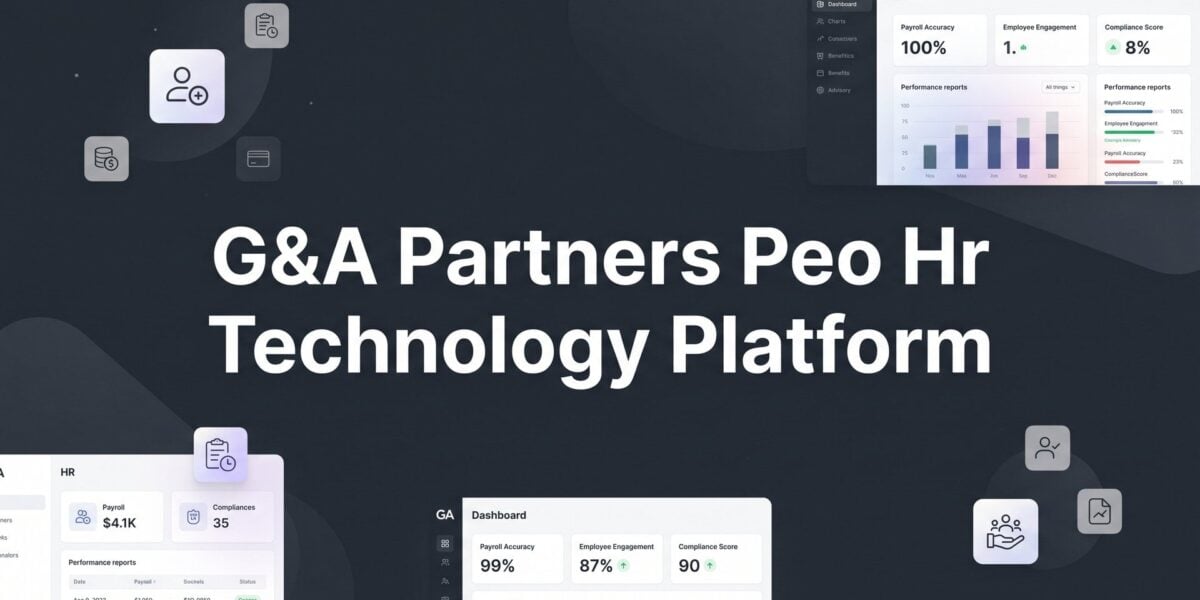
If you’re reading this, you’ve probably already sat through a G&A Partners demo, received a proposal, or you’re mid-renewal and trying to figure out whether their HR technology platform is actually worth what you’re paying for. That’s a reasonable thing to want to know before signing anything.
G&A Partners is a Houston-based PEO with strong regional roots in Texas and the Southeast. They hold IRS CPEO certification and ESAC accreditation — both legitimate credentials that signal financial accountability and operational standards. But credentials don’t tell you whether the software your employees will use every day actually works for your business.
This article is a straight breakdown of what G&A’s HR technology platform does, where it performs well, and where it falls short. It’s not a sales page. The goal is to give you the kind of operational clarity you’d want before committing to a multi-year PEO relationship — or before renewing one without questioning whether you’re still getting the right fit.
The honest framing here: G&A’s HR tech is a real platform with real capabilities. But the more important question isn’t whether the platform looks good in a demo. It’s whether it handles your specific administrative workload, integrates with your existing tools, and scales with your business. For some companies, G&A’s tech stack is exactly what they need. For others, it’s a limitation they won’t discover until six months in.
We’ll walk through how the platform is structured, what the employee experience looks like, where payroll and compliance tools hold up, and where the gaps are. We’ll also give you a practical evaluation framework so you know what to ask before you sign. If you’re comparing G&A against other PEOs at the same time, that broader comparison process matters too — and we’ll point you toward that at the end.
The Technology Behind G&A: What’s Theirs and What’s Licensed
G&A Partners’ HR technology platform is built primarily on isolved, a mid-market Human Capital Management (HCM) platform used by multiple PEOs and HR service providers across the country. This is worth understanding clearly because it shapes how you should think about the platform’s flexibility, data ownership, and long-term portability.
isolved is a legitimate, well-established platform. It’s not a cobbled-together stack of disconnected tools. But it is licensed technology, not a G&A-proprietary build. That distinction matters for a few reasons. First, if you ever leave G&A, your data lives within an isolved environment that G&A administers — not a system G&A built from scratch. Data export processes, transition timelines, and what format your records come back in are all worth asking about explicitly before you sign. Second, because isolved serves many clients across many PEOs, customization has limits. The platform is designed for broad usability, not deep configurability for specific industries or complex workflow requirements.
The core modules G&A bundles through the platform typically include payroll processing, time and attendance tracking, benefits administration, new hire onboarding, and employee self-service. In demos, these are usually presented as a unified experience — one login, one dashboard, connected data. In practice, the cohesion is generally solid for standard use cases. Payroll and benefits data flow together reasonably well, and onboarding connects into the employee record without major manual re-entry.
Where the “unified platform” framing gets more complicated is when your business has non-standard needs. The platform is designed for accessibility, which is appropriate for small-to-mid-sized businesses that want administrative simplicity. But operations managers who need advanced workflow automation, custom approval chains, or granular reporting will run into the ceiling fairly quickly. This isn’t a knock on G&A specifically — it’s a characteristic of the isolved platform at this tier, and it’s relevant context for anyone comparing PEO HR technology platforms like Rippling or Paylocity, which are built with more configurability in mind.
The takeaway: G&A’s tech stack is functional and coherent for its target market. Understanding that it’s isolved-powered helps you ask smarter questions about integration, data portability, and what happens if your needs outgrow the platform.
The Employee-Facing Experience: Onboarding, Pay Stubs, and Daily Use
The self-service layer is where most of your employees will actually interact with the platform, so it deserves honest scrutiny beyond what you see in a polished demo.
On the employee side, the isolved-powered interface covers the basics well. New hire onboarding documents can be completed digitally, which eliminates the paper chase that still plagues smaller businesses. Pay stub access, W-2 retrieval, benefits enrollment, and PTO requests are all handled within the portal. For a workforce that’s comfortable with basic web tools, this works fine.
Mobile functionality is increasingly non-negotiable, especially for field-based teams, distributed workforces, or any business where employees aren’t sitting at a desk. isolved has mobile capabilities, and G&A’s implementation generally supports mobile access for core self-service tasks. That said, the mobile experience is not always as seamless as native-mobile-first platforms. Employees who need to clock in and out, check schedules, or request time off from a phone should test this specifically during the demo phase — not just assume it works because mobile access is listed in the feature set. For a detailed look at how a purpose-built mobile experience compares, the Justworks PEO mobile app breakdown is a useful reference point.
The admin side is where practical friction tends to surface. Business owners and HR managers often discover post-implementation that certain tasks they assumed would be self-service actually require contacting a G&A service rep. This isn’t unusual for PEOs — part of the model is that HR support is provided by people, not just software — but the line between “you can do this yourself in the dashboard” and “you need to open a ticket or call your rep” isn’t always clear until you’re in the middle of a time-sensitive situation.
Visibility into employee data, benefits elections, and payroll history is generally accessible to admin users. Reporting, however, can be more limited than expected. If you want to pull a custom report on headcount changes, benefits cost by department, or time-off accrual balances across the company, you may find the out-of-the-box reporting tools are adequate for standard needs but constrained for anything more nuanced. Custom reports often require either platform familiarity or rep assistance.
The practical advice here: during your demo, ask to see the admin dashboard specifically. Have G&A walk through a real workflow — processing a termination, making a mid-year benefits change, pulling a payroll summary report. What you see in that walkthrough is much more informative than a feature checklist.
Payroll and Compliance: The Core Workload the Platform Handles
Payroll processing is where G&A’s platform earns its keep for most clients. Tax filing, direct deposit, garnishment processing, and year-end W-2 generation are handled within the platform, and this is genuinely where PEO technology has an edge over managing payroll independently or through a standalone provider like Gusto or Paychex.
The reason isn’t just feature parity — it’s the compliance infrastructure behind it. Because G&A operates as a co-employer, the compliance layer embedded in the platform is backed by G&A’s legal and regulatory team, not just software logic. ACA reporting, I-9 management and verification, state-specific compliance alerts, and new hire reporting to state agencies are all part of the package. For small businesses without a dedicated HR compliance function, this is meaningful. The platform doesn’t just track your data — it operates within a framework where G&A shares liability for getting it right.
Multi-state payroll is handled, and for businesses with employees in a handful of states, the platform manages the complexity reasonably well. State tax registration, withholding differences, and local tax rules are areas where doing this manually or through a basic payroll tool gets painful fast. G&A’s infrastructure reduces that burden. For a detailed look at how a comparable PEO handles this complexity, the Paychex Oasis multi-state payroll breakdown covers many of the same operational questions.
Where limitations appear: businesses with more complex payroll requirements may hit friction. Certified payroll for construction contractors, tipped employee calculations for hospitality businesses, or highly variable commission structures with complex calculation rules are areas where the platform may require workarounds or manual adjustments. These aren’t necessarily dealbreakers, but they’re worth surfacing early in the evaluation process. If your payroll has unusual components, walk G&A through your specific scenarios before assuming the platform handles them cleanly.
One honest comparison point: standalone payroll providers like Gusto or Paychex have invested heavily in their interfaces and reporting tools, and some business owners find them more intuitive for day-to-day payroll management. The trade-off is that standalone providers don’t give you the co-employer compliance backstop that a PEO does. You’re getting software without the HR infrastructure. That’s not inherently wrong — it depends on what your business actually needs — but it’s the right frame for the PEO versus payroll software comparison.
Benefits Administration: Where Technology and Carrier Access Are Two Different Things
Benefits enrollment and administration inside the G&A platform covers the standard workflow: open enrollment setup, life event changes, dependent management, and carrier data feeds. For most small-to-mid-sized businesses, this handles the administrative side of benefits without requiring a dedicated benefits coordinator.
Open enrollment can be configured within the platform so employees make their elections digitally, reducing paper forms and manual data entry. Life event changes — a new dependent, a marriage, a qualifying life event that triggers a benefits change — are processed through the system as well, though the specific workflow and turnaround time varies based on how G&A has configured the instance and which carriers are involved.
Here’s the distinction that matters and often gets blurred in demos: the technology and the benefits themselves are two separate evaluation criteria. The platform manages enrollment and administration. But the quality of the benefits — the carrier relationships, the plan options, the employer cost structure — comes from G&A’s purchasing power as a PEO, not from the software. A clean enrollment interface doesn’t tell you whether the health plan options are competitive for your workforce’s demographics, or whether G&A’s carrier relationships deliver meaningful savings relative to what you’d get on the open market or through another PEO.
Employer-side reporting on benefits is functional but limited for more analytical needs. Standard reports — who’s enrolled, what plan, what tier — are generally accessible. Deeper analysis like benefits utilization trends, cost-per-employee by plan, or renewal cost projections often requires working with a G&A rep rather than pulling it yourself from the dashboard. For businesses that want to actively manage benefits cost strategy, this can create a dependency on rep responsiveness that some clients find frustrating. Understanding the true cost comparison between PEO and HR software helps frame whether this trade-off makes financial sense for your business.
The practical implication: when evaluating G&A’s benefits administration, assess the technology separately from the benefit plan options. Ask to see both. And ask specifically what reporting you can access independently versus what requires a service request.
Where the Platform Has Real Gaps
No platform covers everything, and G&A’s is no exception. Understanding the gaps matters because they affect your true cost of ownership — if you need capabilities the platform doesn’t provide, you’ll either go without or pay for additional tools.
Applicant Tracking and Recruiting: G&A’s platform is not built around talent acquisition. There is no robust ATS embedded in the standard offering. For businesses where hiring is a high-volume or strategically important function, this is a meaningful gap. You’ll likely need a separate ATS — Greenhouse, Lever, JazzHR, or even something simpler — and then manage the handoff from hire to onboarding across two systems. That’s workable, but it adds friction and requires a clean integration or manual process.
Performance Management and Learning: Performance review workflows, goal tracking, and learning management systems are not core features of G&A’s standard platform. Some PEOs have moved to include lightweight versions of these tools. G&A’s offering is more focused on administrative HR than strategic HR. If you’re trying to build a performance management process, run employee development programs, or deploy compliance training through a single system, you’ll be looking at add-ons or separate platforms. That adds cost and complexity that should factor into your total cost comparison.
Third-Party Integrations: isolved has integration capabilities, and G&A can connect to accounting software and other business tools in many cases. But integration depth and reliability varies. QuickBooks and common accounting platforms are generally supported. ERP systems, industry-specific platforms, or more complex data environments may require custom work, workarounds, or may not be supported at all. This is a question worth asking directly and specifically: “What does the integration with [your specific tool] look like, and who maintains it if something breaks?”
The gap that catches businesses off guard most often is the performance management piece. Many operators assume a modern HR platform includes at least basic review and goal-tracking functionality. When they discover it doesn’t, mid-contract, the options are limited. Reviewing what a more feature-complete platform looks like — such as the Vensure Employer Solutions HR technology breakdown — can help you calibrate what’s standard versus what’s a gap. Ask about this before you sign.
How to Evaluate G&A’s Platform Against Your Actual Needs
The right way to evaluate any PEO’s technology platform is to start with your own pain points, not the vendor’s feature list. What’s actually breaking in your current HR process? Is it payroll accuracy? Benefits enrollment chaos? Compliance exposure? Onboarding taking too long? The platform that solves your actual problems is more valuable than the one with the most impressive demo.
For G&A specifically, the platform is likely a solid fit if your priorities are administrative simplicity, clean payroll processing, and straightforward benefits enrollment for a workforce under a few hundred employees. It’s well-suited for businesses that don’t need deep configurability, don’t have complex industry-specific payroll rules, and aren’t running a high-volume recruiting operation.
It’s a weaker fit if you need strong ATS functionality, performance management tools, advanced reporting, or deep integrations with non-standard business systems. In those cases, you’d either be patching gaps with additional tools or accepting limitations that affect your HR operations.
Questions worth asking G&A directly before committing:
Data ownership and portability: If you leave G&A, how do you get your data, in what format, and on what timeline? This is a practical question that reveals a lot about how the relationship is structured.
Implementation timeline: How long does onboarding to the platform actually take, and what’s required from your team during that process? Understaffed implementations cause problems that persist for months. The Insperity PEO onboarding process walkthrough is a useful benchmark for understanding what a thorough PEO implementation should look like.
Support model post-onboarding: Do you have a dedicated account rep, or does support route through a ticketing system? For platform issues specifically, what’s the response time expectation?
What’s included versus add-on: Technology access is typically bundled into PEO fees rather than priced separately, but not all features are always included in the base package. Confirm exactly what’s in your contract versus what triggers additional cost.
Comparing G&A against other PEOs on technology alone is incomplete. The comparison should include total cost structure, benefits purchasing power, compliance support, and service quality alongside platform capabilities. A PEO with a slightly less polished interface but better pricing, stronger carrier relationships, and more responsive service may be the better business decision.
The Bottom Line on G&A’s HR Technology
G&A Partners has a functional HR technology platform that handles the core administrative workload competently for small-to-mid-sized businesses. Payroll, benefits administration, onboarding, and compliance tools are all present and generally work as described. The isolved foundation is a known quantity in the mid-market PEO space, and that’s not a criticism — it’s useful context for understanding what you’re working with.
But technology is one layer of the PEO relationship, not the product itself. The real value drivers in a PEO arrangement are pricing structure, benefits purchasing power, compliance infrastructure, and the quality of service when something goes wrong. A clean interface doesn’t compensate for opaque fees, weak carrier relationships, or a support model that leaves you waiting when you have a time-sensitive payroll issue.
If you’re actively evaluating G&A alongside other providers, treat the platform as one checkbox in a broader scorecard. Assess it against your specific operational needs, ask the hard questions about data portability and support, and compare it directly against what other PEOs are offering at similar price points.
Most businesses that end up overpaying for PEO services do so because they evaluated the demo, not the contract. Before you renew your PEO agreement, compare your options. We break down pricing, services, and contract structures across providers so you can make a smarter decision based on total cost and service scope — not just which platform looked best on screen.