
When employees don’t understand their benefits, they don’t use them. And when they don’t use them, you’re paying for coverage that sits idle while your team assumes they’re underinsured. The gap between offering great benefits through your PEO and employees actually appreciating those benefits comes down to communication tools. This guide breaks down the platforms that help you explain, distribute, and track benefits information—whether you’re working with a PEO’s built-in portal or need standalone solutions to fill the gaps.
We’ve evaluated each tool based on real-world usability, integration capabilities with common PEO platforms, and cost-effectiveness for small to mid-sized businesses. Here are the top tools worth considering.
1. Clicks Geek PEO Comparison Platform
Best for: Businesses evaluating PEO providers based on benefits communication capabilities before committing
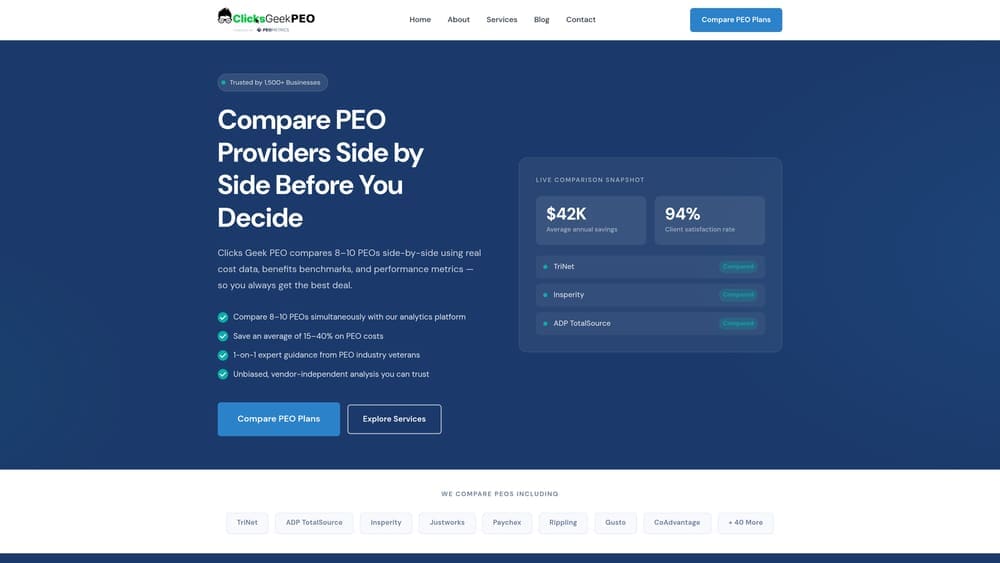
Clicks Geek PEO Comparison Platform is an independent evaluation tool that helps you assess provider communication capabilities upfront.
Where This Tool Shines
Most businesses discover their PEO’s benefits portal is clunky after they’ve already signed a multi-year contract. This platform lets you compare communication features across providers before that commitment.
You get side-by-side breakdowns of what each PEO’s employee portal actually offers, how intuitive their mobile experience is, and whether their communication tools justify the administrative fees they’re charging. It’s particularly useful during renewal season when you’re deciding whether to stick with your current provider or explore alternatives.
Key Features
Side-by-Side Provider Comparisons: See how different PEOs stack up on employee portal quality, mobile access, and communication tools.
Built-In Portal Evaluations: Understand what communication features come standard versus what requires add-on fees.
Pricing Transparency Tools: Break down administrative markups and bundled fees that affect your total cost.
Contract Term Analysis: Identify termination clauses and penalties that could trap you with subpar communication tools.
Objective Provider Scoring: Independent ratings not influenced by referral fees or partnerships.
Best For
Small and mid-sized businesses evaluating new PEO providers or reconsidering their current arrangement. Especially valuable if your employees complain about confusing benefits portals or if you’re paying for third-party communication tools to compensate for PEO shortcomings.
Pricing
Free comparison tools with no obligation to switch providers.
2. Benefitfocus
Best for: Mid-sized companies needing enterprise-grade benefits administration with comprehensive employee communication
Benefitfocus is an enterprise benefits platform with employee-facing portals that handle everything from enrollment to ongoing education.
Where This Tool Shines
Benefitfocus tackles the decision paralysis problem. When employees face ten different plan options during open enrollment, they either pick randomly or default to whatever they had last year. This platform walks them through personalized recommendations based on their actual situation.
The mobile app keeps benefits accessible year-round, which matters when someone needs to find their insurance card at 9 PM or wants to understand their HSA balance before a doctor’s appointment. The total compensation statements help employees see the full value of what you’re providing, which addresses the “I don’t feel like I’m getting much” perception issue.
Key Features
AI-Powered Recommendations: Suggests plans based on employee demographics, health needs, and financial situations.
Mobile App for Employees: Full-featured mobile experience for enrollment, claims, and benefits information access.
Total Compensation Statements: Shows employees the complete value of salary plus benefits in a single view.
Carrier Connectivity: Direct integrations with major insurance carriers for real-time eligibility and claims data.
Decision Support Tools: Interactive calculators that help employees compare out-of-pocket costs across different plan scenarios.
Best For
Companies with 100+ employees who need sophisticated decision support and can justify enterprise pricing. Works well if you offer multiple plan tiers or complex benefit packages that overwhelm employees during enrollment.
Pricing
Custom pricing based on employee count. Expect higher costs than simpler platforms, but you’re paying for comprehensive functionality and carrier integrations.
3. Jellyvision ALEX
Best for: Making benefits enrollment feel less like homework through conversational AI guidance
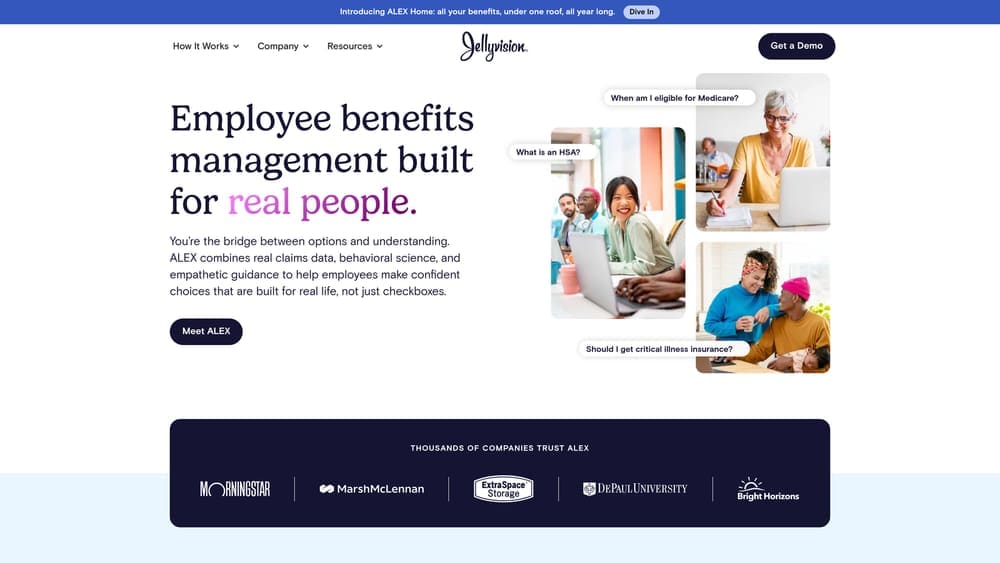
Jellyvision ALEX is an interactive platform that uses conversational AI to walk employees through benefits decisions in plain language.
Where This Tool Shines
ALEX turns benefits enrollment from a compliance checkbox into an actual conversation. Instead of staring at comparison charts, employees answer questions about their health situation, financial priorities, and risk tolerance. The platform translates that into specific plan recommendations.
The year-round engagement tools address the “set it and forget it” problem. Employees can revisit ALEX when their circumstances change—new baby, spouse job loss, chronic condition diagnosis—and get updated guidance without waiting for open enrollment. The analytics dashboard shows you where employees are getting stuck or making potentially risky choices.
Key Features
Conversational Benefits Guidance: Question-and-answer format that feels like talking to a knowledgeable HR person, not reading plan documents.
Personalized Recommendations: Tailored suggestions based on individual employee situations and preferences.
Year-Round Engagement: Employees can access guidance outside enrollment periods for qualifying life events or education.
Analytics Dashboard: Shows which benefits employees are considering, where they’re confused, and what questions they’re asking most.
Multi-Language Support: Available in Spanish and other languages to reach diverse workforces.
Best For
Businesses that notice low enrollment in voluntary benefits or frequent “I didn’t know I had that” conversations. Particularly effective if your workforce includes employees with varying levels of benefits literacy.
Pricing
Starts around $3-5 per employee per year. Pricing scales with employee count and feature set.
4. Flock Benefits
Best for: Small businesses wanting clean, visual benefits communication without enterprise complexity
Flock Benefits is a simplified administration platform with visual employee communication tools designed specifically for smaller companies.
Where This Tool Shines
Flock strips away the enterprise bloat and focuses on making benefits enrollment visually clear. Plan comparisons use color-coded charts and simple language instead of dense tables. The enrollment workflow is streamlined enough that employees can complete it on their phones during a lunch break.
The broker integration model means you’re not managing another vendor relationship directly. Your benefits broker handles the backend setup, and you get a clean employee experience without additional software fees. The self-service portal reduces “what’s my deductible again?” questions that pull you away from actual work.
Key Features
Visual Plan Comparisons: Side-by-side charts that highlight key differences without requiring employees to decode insurance jargon.
Simple Enrollment Workflows: Mobile-optimized process that guides employees through decisions step by step.
Broker Integration: Works through your existing benefits broker relationship rather than requiring direct vendor management.
Employee Self-Service: Portal where employees can view coverage details, download documents, and update dependent information.
Compliance Documentation: Automated tracking and storage of enrollment forms and election confirmations.
Best For
Companies with 10-100 employees who work with a benefits broker and want better employee communication without paying for unused enterprise features.
Pricing
Free for employers under the broker-supported model. Your broker receives compensation from carriers, so there’s no direct cost to you.
5. Ease (Employee Navigator)
Best for: Supplementing existing PEO systems with better mobile access and employee communication
Ease is a benefits platform that layers on top of your existing PEO or payroll system to improve the employee experience.
Where This Tool Shines
Ease solves the “my PEO’s portal is terrible” problem without requiring you to switch providers. It connects to your existing systems and presents everything through a cleaner, mobile-first interface. Employees get a better experience, and you avoid the disruption of changing PEOs mid-contract.
The ACA compliance tracking is particularly useful if your PEO doesn’t provide clear reporting on who’s eligible for coverage and when. The document storage consolidates benefits information with onboarding materials, so new hires aren’t hunting through multiple systems. The mobile app means employees can access everything from their phones, which matters when your workforce isn’t desk-based.
Key Features
Mobile-First Design: Full functionality on smartphones, not just a desktop portal squeezed onto a smaller screen.
ACA Compliance Tracking: Monitors employee hours and eligibility to help you avoid penalties.
HR Document Storage: Centralized repository for benefits guides, enrollment forms, and policy documents.
Employee Onboarding Tools: Combines benefits enrollment with new hire paperwork in a single workflow.
PEO Integration: Connects with major PEO platforms to sync employee data and payroll deductions.
Best For
Businesses locked into a PEO contract but frustrated with their provider’s employee portal. Also works well for companies with mobile or field-based workforces who need phone access to benefits information.
Pricing
Starts at $4 per employee per month. Pricing increases with additional features like onboarding modules or advanced compliance tools.
6. Loom
Best for: Creating personalized video explanations of benefits that employees can watch on their own schedule
Loom is an asynchronous video platform that lets you record screen and camera explanations of complex topics.
Where This Tool Shines
Loom addresses the “I don’t want to read a 40-page benefits guide” reality. You can record a 5-minute walkthrough of your health insurance options, showing exactly where to find deductible information, how to use the provider search tool, and what happens when someone goes to urgent care versus the ER.
The viewer analytics tell you who actually watched the video and where people dropped off, which helps you identify confusing sections. Employees can watch at their own pace, pause to take notes, and rewatch sections they didn’t understand the first time. The video library builds over time, so you’re creating a searchable resource that answers recurring questions without scheduling meetings.
Key Features
Screen and Camera Recording: Capture your screen while explaining concepts, with your face in a small bubble for personal connection.
Viewer Analytics: See who watched, how much they watched, and where they stopped paying attention.
Easy Sharing and Embedding: Send videos via link, email, or embed them in your benefits portal or intranet.
Video Library Organization: Tag and categorize videos so employees can find specific topics easily.
Transcription and Closed Captions: Automatic transcripts make videos searchable and accessible.
Best For
Small to mid-sized businesses where one person handles benefits communication and needs to scale their time. Particularly effective for explaining new benefits, walking through enrollment systems, or addressing common confusion points.
Pricing
Free tier available with basic features. Business plan starts at $12.50 per user per month for advanced analytics and admin controls.
7. Notion
Best for: Building a searchable internal knowledge base where employees can find benefits answers themselves
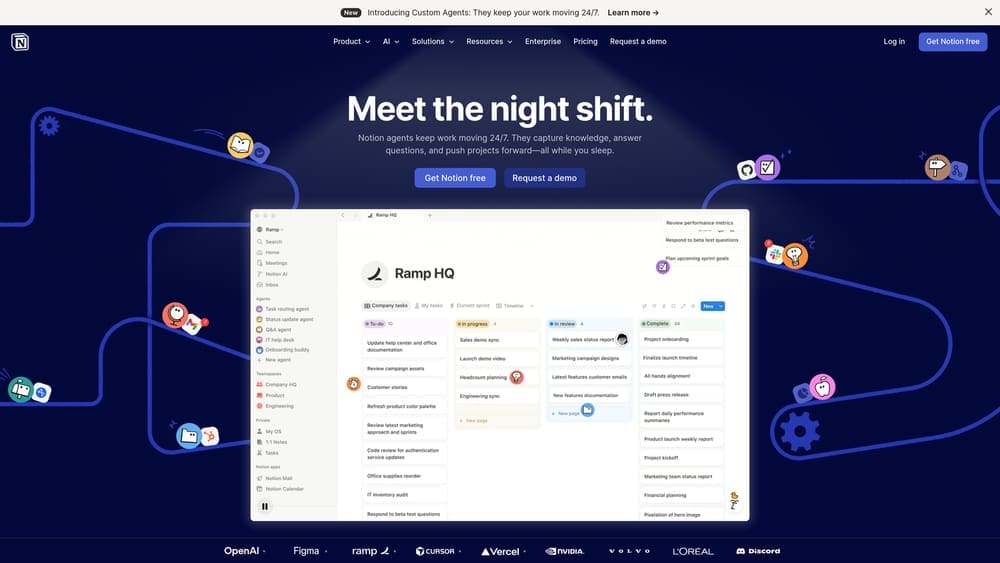
Notion is a documentation platform that works well for creating organized, searchable benefits resources.
Where This Tool Shines
Notion turns scattered benefits information into a structured resource employees can actually navigate. Instead of emailing the same HSA contribution limits explanation five times during open enrollment, you write it once and point people to the page. The search function means employees can type “dental coverage orthodontics” and find the relevant section without reading your entire benefits guide.
The template libraries let you create consistent formatting across different benefit types. Permission controls ensure sensitive information like premium costs stays visible only to relevant people. The integration capabilities mean you can embed enrollment links, carrier portals, and video explanations all in one place.
Key Features
Searchable Documentation: Full-text search across all pages so employees can find specific information quickly.
Template Libraries: Pre-built structures for benefits guides, FAQs, and enrollment instructions.
Permission Controls: Restrict access to certain pages based on employee role or department.
Integration Capabilities: Embed videos, link to external portals, and connect with other tools you’re using.
Version History: Track changes to benefits documentation and revert to previous versions if needed.
Best For
Companies that field repetitive benefits questions and want to create a self-service resource. Works well if your team is already using Notion for other documentation or if you want flexibility in how you structure information.
Pricing
Free tier available for small teams. Plus plan at $8 per user per month adds unlimited file uploads and version history.
8. Pyn
Best for: Automating benefits communication based on employee lifecycle events and milestones
Pyn is an employee journey automation platform that sends triggered messages at the right moments.
Where This Tool Shines
Pyn solves the “I forgot to tell new hires about X” problem by automating communication based on triggers. When someone hits 90 days and becomes benefits-eligible, they automatically get enrollment instructions. When open enrollment starts, employees receive personalized reminders based on whether they’re currently enrolled or waived coverage.
The pre-built templates cover common scenarios like qualifying life events, benefits eligibility milestones, and enrollment deadlines. The HRIS integrations pull employee data automatically, so you’re not manually tracking who needs what message when. The engagement tracking shows which messages employees are opening and acting on, helping you refine your communication approach over time.
Key Features
Lifecycle-Triggered Messages: Automatic communication based on hire date, tenure milestones, or custom events.
HRIS Integrations: Syncs with major payroll and HR systems to access employee data and trigger conditions.
Pre-Built Communication Templates: Ready-made messages for common benefits scenarios that you can customize.
Engagement Tracking: Analytics on message open rates, click-throughs, and employee actions.
Multi-Channel Delivery: Send messages via email, Slack, or SMS based on employee preferences.
Best For
Growing companies where manual benefits communication is becoming unsustainable. Particularly useful if you have complex eligibility rules or multiple benefit effective dates throughout the year.
Pricing
Custom pricing based on employee count and feature requirements. Expect costs to scale with automation complexity and integration needs.
9. Guideline
Best for: Retirement benefits communication with clear projections and automated enrollment workflows
Guideline is a 401(k) platform with employee-facing dashboards designed for clarity and engagement.
Where This Tool Shines
Guideline addresses the specific communication challenge around retirement benefits. Most employees don’t understand how much they need to save or what their current contribution will actually become by retirement. This platform shows clear projections based on their current savings rate and provides specific recommendations for improvement.
The automated enrollment feature removes the “I meant to sign up but forgot” barrier. New employees are enrolled at a default contribution rate unless they actively opt out, which significantly increases participation. The low-cost index fund approach keeps fees transparent, and the PEO integrations available mean it can work alongside your existing provider without creating payroll headaches.
Key Features
Clear Retirement Projections: Shows employees what their current savings rate will likely produce at retirement age.
Automated Enrollment: New hires are enrolled by default at a set contribution rate, increasing participation.
Low-Cost Index Funds: Simple investment options with transparent fee structures.
PEO Integrations: Works with major PEO platforms for seamless payroll deduction and data sync.
Mobile Dashboard: Employees can check balances, adjust contributions, and review projections from their phones.
Best For
Small to mid-sized businesses offering 401(k) benefits who want to improve employee understanding and participation. Works well if you’re frustrated with low enrollment rates or frequent confusion about how the plan works.
Pricing
Starts at $49 per month base fee plus $8 per participant per month. Transparent pricing with no hidden administrative charges.
Making the Right Choice
The right benefits communication tool depends on where your current setup falls short. If employees aren’t enrolling in plans that would help them, you need decision support tools like ALEX. If they’re calling HR with basic questions, you need a searchable knowledge base like Notion. If your PEO’s portal is clunky, supplemental tools like Ease can bridge the gap.
Start by auditing what your PEO already provides. Many businesses pay for third-party tools that duplicate existing features. Log into your PEO’s employee portal and evaluate it honestly. Is the mobile experience usable? Can employees find their coverage details without calling someone? Are plan comparisons clear or confusing?
If your PEO’s communication capabilities are genuinely lacking, consider whether supplemental tools make sense or if you’re better off switching providers. A platform like ALEX costs $3-5 per employee annually. If you’re paying that to compensate for a PEO’s terrible portal, you might save money long-term by choosing a provider with better built-in communication tools.
Before you renew your PEO agreement, compare your options. Most businesses overpay due to bundled fees and unclear administrative markups. We break down pricing, services, and contract structures so you can make a smarter decision.
For most small businesses, the winning combination involves your PEO’s native portal for core administration, plus one or two lightweight tools to address specific gaps. That might be Loom for video explanations during open enrollment, Notion for a searchable FAQ, or ALEX if decision support is the primary issue. Avoid the temptation to add every tool on this list. More software doesn’t equal better communication—it just creates more logins for employees to forget.